🚀 Elevate Your Wi-Fi Experience!
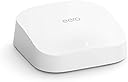
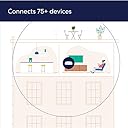
The Amazon eero Pro 6 is a cutting-edge mesh Wi-Fi 6 router that delivers gigabit speeds and covers up to 2,000 sq. ft., supporting over 75 connected devices. With easy setup via the eero app, smart home integration with Alexa, and automatic security updates, it’s designed for seamless connectivity and future-proof performance.
| Title | Amazon eero Pro 6 mesh wifi router |
| Wifi coverage | Covers up to 2,000 sq. ft. |
| Type | Router (connects to modem as primary router) |
| Supported speeds | Best for internet speeds up to a gigabit. |
| Wifi connectivity | Wi-Fi 6 tri-band concurrent 2:2:4 (802.11ax), compatible with older wifi standards |
| Wired connectivity | Two auto-sensing gigabit Ethernet ports for WAN and/or LAN connectivity |
| Speed rating | AX4200 |
| Smart home connectivity | Works with Alexa, Amazon Frustration Free Setup, 802.15.4 radio (Zigbee, Thread), Bluetooth Low Energy 5.0. |
| Electrical Rating | 100-240V AC, 50-60Hz |
| Processor, memory, and storage | 1.6 GHz quad-core processor, 1 GB RAM, 4 GB flash storage |
| Network security and services | Profiles, WPA3 (eero Labs feature), WPA2, TLS v1.2+, VPN passthrough, IPv6, NAT, UPnP, port forwarding, DHCP, static IP, and cloud connectivity |
| Required for setup | Supported iOS or Android device and internet service (with cable or DSL modem, if required). See requirements. |
| Temperature Rating | Operating: 0˚C- 40˚C / 32˚F - 104˚F Storage: -25˚C- 60˚C/ -13˚F - 140˚F Operating humidity: 0%-90%, non-condensing Operating altitude: <3000m |
| Dimensions | 5.6 in x 5.4 in x 1.9 in (142 mm x 138 mm x 48 mm). Actual size and weight may vary by manufacturing process. |
| Warranty and Support | 1-year limited warranty. Free customer support is available 7 days a week. Learn more warranty and support. |
| Subscription | 30-day eero Plus trial is limit one per new eero customer account. Additional terms apply, see the eero Plus Terms of Service for more details. eero Internet Backup performance will vary and you are responsible for data charges with backup connection providers. Learn more about eero Internet Backup requirements, performance, and compatibility here. |
| Software Security Updates | This device receives guaranteed software security updates until at least five years after the device is last available for purchase as a new unit on our websites. Learn more about these software security updates. |
| Legal Disclaimer | Some features require linking your Amazon account, and downloading the Alexa application or using a compatible Alexa device. Internet connection speeds and availability depend on your internet service provider; if your internet service provider does not provide you with the maximum supported speed, you will not experience that maximum speed. Maximum wireless signal rates are derived from IEEE 802.11 standard. Specifications assume wired Ethernet connection; your experienced speed may vary when connected to an eero device that is configured as a wireless extender. Coverage estimates are based on normal use conditions. Actual range and performance can vary, and maximum supported speeds may not be available to all customers, due to factors such as local regulations (including power limits), network configuration, interference, connected devices, device usage, building materials, and obstructions. Specifications are based on use of a Wi-Fi 6 or later generation client device. For more information about eero performance, visit support.eero.com. |
P**S
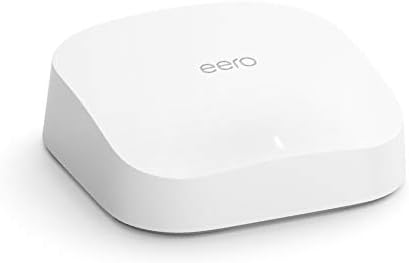
eero Pro 6 mesh Wi-Fi 6 router.
The eero Pro 6 mesh Wi-Fi 6 router is a top-of-the-line networking solution that promises to deliver fast and reliable internet connectivity throughout your home. As of my last knowledge update in September 2021, I can provide an overview of its features and potential benefits: 1. **Wi-Fi 6 Technology**: The eero Pro 6 utilizes the latest Wi-Fi 6 (802.11ax) standard, which offers faster speeds, improved performance in crowded environments, and better support for multiple devices simultaneously. 2. **Mesh Networking**: One of the standout features of this router is its mesh networking capability. It comes with multiple nodes that work together to create a seamless and strong Wi-Fi network throughout your home. This is particularly useful in larger homes or spaces with Wi-Fi dead zones. 3. **Tri-Band Connectivity**: The eero Pro 6 features tri-band connectivity, which means it has a dedicated backhaul channel to ensure optimal communication between nodes. This helps maintain high speeds and reliability, even when multiple devices are connected. 4. **Easy Setup**: Setting up the eero Pro 6 is relatively simple, thanks to the user-friendly mobile app. The app guides you through the installation process, making it accessible to users of all technical levels. 5. **Smart Home Integration**: eero routers are known for their compatibility with smart home devices. They can prioritize smart home traffic to ensure that your connected devices, like security cameras and smart thermostats, operate smoothly. 6. **Advanced Security**: eero offers built-in security features to protect your network and connected devices from threats. It includes features like automatic updates, ad-blocking, and the ability to set up guest networks with different security settings. 7. **Parental Controls**: Parents will appreciate the parental control features that allow them to set internet access schedules and filter content to keep their children safe online. 8. **Regular Updates**: eero is known for providing regular firmware updates to improve performance and security, which is a crucial aspect of any modern router. 9. **Subscription Services**: Some of the advanced features, like ad-blocking and enhanced security, may require a subscription to eero Secure or eero Secure+. 10. **Performance**: In terms of performance, the eero Pro 6 delivers on its promises, offering fast and reliable Wi-Fi connectivity. However, real-world performance can vary depending on your internet plan, the size and layout of your home, and the number of connected devices. 11. **Design**: The eero Pro 6 has a sleek and modern design that should blend well with most home decor. 12. **Price**: As of my last knowledge update, eero Pro 6 was on the higher end in terms of pricing, but it aimed to justify the cost with its advanced features and performance. Please note that technology evolves rapidly, and there may have been updates or newer models released since my last knowledge update in September 2021. I recommend checking the latest reviews and product information to ensure you have the most up-to-date information before making a purchase decision.
M**E
Simple Setup, Instant Improvement!
The Problem I Needed to Solve: I have a 3 story townhouse. They installed Fios gig-speed internet in the back-left corner of the first floor and most of our connected devices are on the 3rd floor. The only room suitable for my office is on the front-right corner of the 3rd floor, which is the farthest you can possibly get from the router. I was getting about half wifi signal strength which led to spotty Zoom calls, flaky streaming via PS4 and FireTV, and gaming was pretty glitchy. Downloading updates on PS4 took hours. My speed would vary between 3Mbps and 150Mbps. When it was 150... it was good, but there were a lot of times it just wasn't. I decided to go with the eero pro 6 (2 pack) since my speeds should be high and I have a lot of devices that can make use of Wifi 6 and was banking on the 2nd unit being able to allow me to use the 5GHz band. Customer Service: I called eero to make sure I was getting the right solution. They answered promptly and were extremely polite. They were not salesy at all. I explained my setup, my issue and they recommended what I had in mind. I asked if I should consider the 3 pack and they did not try to upsell me at all. Suggested for the size of my place to try the 2 pack and reposition the 2nd puck if needed before investing in the 3 pack. Was a great experience. Setup: Once it arrived, I had both units set up and connected within 20 minutes. The app tells you exactly what to do and it is incredibly easy. Just unplug one thing. Plug in two things. Hit a button. Easy. You can even name your network the same as your previous one so you don't have to reconnect all your devices (but you may then want to rename the old network to avoid confusion). I placed the 1st unit that is tethered via ethernet cable to the Fios router right beside it on the 1st floor. The 2nd unit was placed on the second floor on the left wall in the center of the wall, which is at the base of the stairs leading to the 3rd floor. No ethernet cable was used for the 2nd unit. I just plugged it into the wall and paired it. (and they look sleek and aesthetically compliment most any room IMHO) Results: Full signal strength in every corner of the house. Speed tests are consistent so far. All well above 100Mbps no matter what device (and so far, no matter how many devices are being used). Streaming is smooth. Downloaded updates on the PS4 last night that would have taken hours and were done in less than 15 minutes. One was almost 1gb and took 90 seconds. No more glitchy gaming. No more spotty Zoom so far. Bonus: I can see which devices are connected to which unit and at which wifi band. It allows you to rename your connected devices so you can easily identify them and see how much they are downloading/uploading. If you have kids, you can pause their connection and resume later to help regulate screen time. If you have unwanted devices on your wifi, you can block them. They also have security plans you can pay for that will allow for more advanced options like ad blocking, site blocking/content filtering, password security/additional encryption, etc. The plans are not expensive, though I don't have much use for them as an adult with no small children in the home. Overall: I wasn't happy that I had to invest extra in order to get the internet I've been paying Fios for, but this is a great solution! Great product. Easy to setup. What little customer service experience I've had has been positive. Good investment!
T**E
4 years, amazing Router
I’ve had this four years and it’s been amazing. It has been pushed to its limits and running smoothly throughout. It was so easy to setup and automatically updates at most unused time of morning unless major usage is going on. One of the best investments I’ve had at my house. Maybe quality has gone down in the later years with some of the more recent reviews but mine is still going strong.
S**X
Easy Setup, Easy App, Best Customer Service
Upgraded from 3 Google Wifi 5 pucks to 3 Amazon eeros (one was provided by ISP). Off the bat it worked much better, saw myself getting triple speeds due to the additional bandwidth and Wifi-6. The range between eeros pros are much larger than Google Wifi 5. I will mention that a week of use passed, one of the eeros started flashing white (connecting to internet) for no reason, and the reset button was broken and unresponsive. Pretty frustrated, I got on the phone with Eeros customer support, went through the essential runaround of troubleshooting with methods I've used and some methods I haven't, and they promised a replacement with next day shipping at no additional cost, just send back the broken one. It came next day and set up easily, flawlessly working now it's been 2 weeks. I'm thankful customer service not only responded quickly, but cost me nothing to get a replacement for a clear dud eeros. It was a refurbished eeros, but I didn't care as long as it worked flawlessly, i'm all good. idk why I see some people get so mad about refurbished, as long as it works with no damage, it'll act the same? I'm glad companies re-use their stuff, but im more conscious about e-waste.
Trustpilot
1 month ago
2 weeks ago