


✍️ Elevate your iPad experience—write, draw, and create like never before!
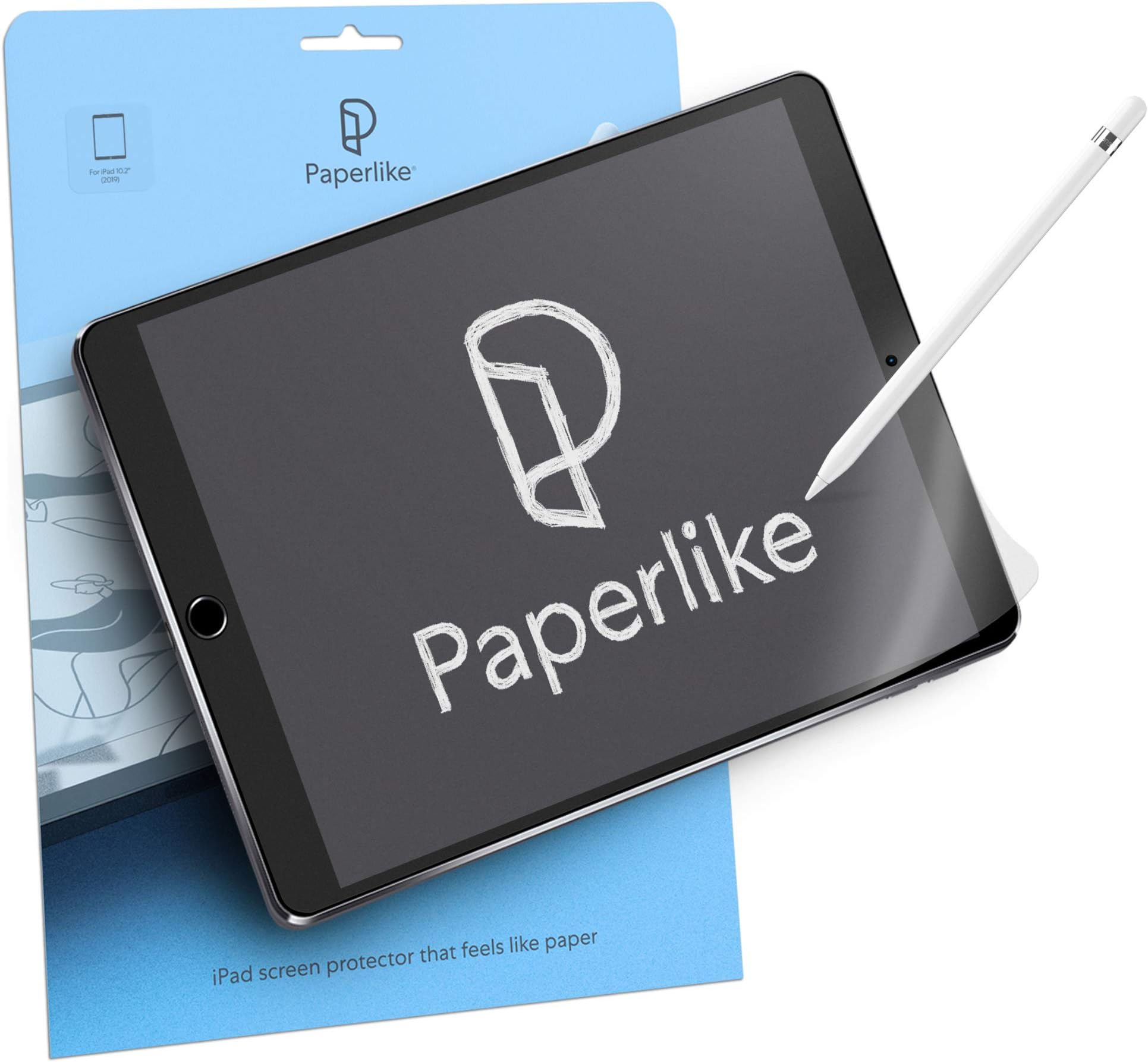
Paperlike 2.0 is a premium matte screen protector designed specifically for the iPad 10.2". Featuring advanced Nanodots technology, it delivers a natural paper-like texture that enhances drawing and writing precision. With 2H hardness, water repellency, anti-fingerprint, and anti-glare properties, it protects your screen while maintaining exceptional clarity and touch sensitivity. The package includes two protectors plus all necessary tools for a flawless, bubble-free installation.


| Brand | Paperlike |
| Compatible Devices | Tablet |
| Compatible Phone Models | iPad 10.2" |
| Finish Type | Matte |
| Item Hardness | 2H |
| Material | Polyethylene Terephthalate |
| Product Dimensions | 3.69"L x 0.05"W |
| Special Feature | Anti Glare, Anti-Fingerprint, Scratch Resistant, Touch Sensitive |
| Unit Count | 2.0 Count |
| Water Resistance Level | Water Repellent |
B**.
Be very careful while installing
Installation is quite the delicate and tedious process. I'm glad they give you two of them but my plan was to use them at different times, not to have one as a backup in case I messed up installing the first. The guide on installation is easy to follow and I did it mostly right but I did end up with two small bubbles which I can sometimes notice when looking at the screen. It doesn't ruin the experience or get in the way of using the touch screen at all regardless of whether I'm using my finger or the Apple Pencil. It does feel like paper which is cool but sometimes it actually feels quite smooth. The longer you use it the more it will wear down and you will eventually get smooth spots which are still rougher than the screen itself but smooth compared to when its new. I wanted this because drawing on the iPad without something like this feels unnatural and it's far too easy to slide my pencil across the screen and have far less control over delicate strokes. With Paperlike it feels much more like paper and the resistance allows you to feel enough feedback to really feel as though you're interacting with the medium that the app you're running is emulating. It feels like pencil on paper or paint brush on canvas. It's great. One thing they don't tell you is that it's great for reading books on iPad as well. When turning pages I really feel more like I'm reading a paper book than a digital one. I've always preferred paper and analog tools but I'm more likely to buy and read digital books now with the Paperlike screen protector on my iPad. It's easy to clean. You just take the same sort of cloth you'd use to clean your iPad's naked screen and use it on the Paperlike. Yes, you will get fingerprints on your screen if you touch it with your hands just like using the normal screen so you have to clean it periodically. The Paperlike does dim the screen and dull the colors just a tiny bit but unless your work demands absolute perfection when it comes to color accuracy or you're some superhuman that can't handle a negligible change in brightness/color then you won't notice it unless you're specifically looking for it. I'm glad it comes with two because eventually the first will wear out and I'll need to apply another and the second time I'll hopefully learn from the mistakes I made with the first and make sure there are no small bubbles that end up under the screen. But like I said, even if you do end up with a couple small bubbles you'll most likely be able to live with it and in most cases it isn't worth removing the Paperlike and reapplying a new one. The difference is negligible.
S**H
A great feeling screen protector
I decided to purchase this after reading some of the reviews, including the few that were not all positive. The negatives seem to be related to the screen protector getting scratched (best review stated they had been using for 4 months) and the screen protector being a pain to apply. I have only had this for a single day so far and if the longevity is better/worse/different than the reviewer noting that they made it 4 months, I’ll update this review. As far as applying, this was no harder than any other protector that I’ve applied to an iPad or phone. I would recommend that you take your time, watch the video, and ensure that the screen is completely free of any dust. I don’t find applying screen protectors to something as large as an iPad to be extremely easy, but if following the instructions here, it wasn’t hard and turned out as I hoped. From a use perspective, I can say this thing is leaps and bounds better than what I’ve tried in the past. It’s very smooth to write on, but not as smooth as glass. I’ve tried some cheaper alternatives and they felt like I was writing on a very fine grit sandpaper. This doesn’t feel that way at all. I suspect this impacts the longevity. On that note, I’m expecting 3-6 months before I have to use the second one of these that came with my purchase. I will be using this mainly for taking notes electronically, however I may do the occasional drawing. I don’t like the feeling of writing directly on the glass and this screen protector seems to be about as close to paper as I’ve found. If you are like me and do not like writing on glass, I would recommend this. I do feel it’s a bit expensive (about double what I payed for a protector that did not feel good), but I feel like the extra is well worth it.
A**K
Scratches easily but overall is good
Overall, pretty OK. Offers a drawing experience almost like paper with a fairly simple application process. Only downside is that it is scratched very easily.
F**K
Brilliant, but painful to install flawlessly
Having to focus painstakingly hard on a perfectly flawless lint-free screen during the application is utterly nerve-racking, but once it has been applied (and if you get it >just< right), the PaperLike screen protector is a fantastic product that delivers a great paper-like feel. Definitely worth the cost, but losing the first of two covers due to two (2) super-tiny (nearly-invisible) pieces of lint (from the black cloth PaperLike provided) was heart-wrenching. Two thumbs up from me, but I strongly recommend having someone else around to examine and confirm the screen is perfectly free of any lint (no matter how tiny) before applying the screen protector. To the PaperLike QA Staff… I very strongly recommend that the cleaning cloth provided in the package be of a different color than black. A bright colored cloth, very easily seen (no matter how tiny it is) against the black screen would have saved me from losing my first cover the first time I installed the screen protector. (2x Updates 24 July 2022) 1. I was contacted by the PaperLike QC Team about my experience. Once I explained more detail about the lint from the black cloth provided in the package and provided evidence, their Representative chose to send me a replacement package, so hats off to their quality management team for doing their due diligence and sorting out my loss. 2. I’ve been using my PaperLike screen for a couple weeks now. It does exactly what they say it will do, providing the closest feel I’ve ever experienced using similar paper-like screen protectors. I’m an avid note-taker and have tried most other products on the market. None of them even come close to the PaperLike screen. I highly recommend this product to anyone who wishes to use their iPad Pro (or similar) for any handwritten notes or for drawing. Best regards, Frank
A**E
The GOAT of screen protectors!
This review was long overdue! I recently traded in my iPad Pro (2020) at the Apple store and before giving it to one of the associates I had to remove the protector…That is when I realized that the protector I took off was the first and last one I had ever put on my iPad. This product lasted me so many years and kept my screen intact and unscratched. I am serious my screen was MINT after removing the protector. It had always been easy to clean and the touch sensitivity never became an issue. I did also use this iPad for drawing on Procreate and my apple pencil never skipped while drawing. Will be buying this product again for my new iPad Air.
M**W
Should have gotten this years ago.
I thought this was overpriced and not worth it so for years I ignited it. I thought about getting a knockoff. I’m glad I got it. It makes the screen on the iPad better. It’s hard to describe I feel like it’s the way the device should have been. It doesn’t feel cheap ad plasticy it just seems to be perfect for the texture of the Apple Pencil. And reduces the glare of using the iPad. Not something I realized I cares about until I got this. Definitely gave my iPad a new feel paired with the right case it’s a game changer.
J**.
Deep Scratches Two Hours After Installation!
I have been using Paperlike screen protectors for years. As a digital artist, I can NOT get my lines to go exactly where I want them to go on a slick screen, so I bought Paperlike for that tactile sensation. It helps a WHOLE LOT! When I got my new 2020 iPad Pro 12.9”, I didn’t want to spring for Paperlike because they are insanely expensive and they also made my screen look pixelly. I went with another brand that promised the same tactile feeling of using paper, but they were less than half the price of Paperlike. Unfortunately, they scratched really quickly and were almost as slick as the iPad screen itself. Waste of money. So I went back to Paperlike after hearing they no longer make the screen look pixelly. I splurged on the 2-pack for my birthday, and they arrived today, the day before my birthday. Unfortunately, they were a NIGHTMARE. I watched the installation video carefully and followed the instructions to the letter. I’ve installed these many times in the past, so I wasn’t a newbie. But the first one had a huge scratch down the middle before I even installed it. I was devastated. Basically, $20 right down the drain. So I took out the second one. It looked fine. Installation went okay other than a piece of dust getting stuck despite my taking every precaution to avoid it, and now there’s a bubble that won’t come out. Annoying, but I suppose not exactly Paperlike’s fault. I was initially thrilled once I got the second one installed. It had that wonderful feeling of drawing on paper, which is exactly what I was looking for. However, after using it for less than 2 hours it ALREADY has numerous scratches on it. I’ve tried carefully rubbing them with the cleaning cloth they provided, hoping it was just temporary scuffs. Nope. They are deep scratches that won’t come out and make the screen look truly AWFUL. Not only that, they actually mess up my strokes as I move my Pencil across them on the screen. This makes it hard to draw than before I put the screen protector on! I am using a nearly brand-new Apple Pencil nib that was NOT scratching my cheap screen protector. SUPER disappointed. I will never pay their outrageous prices again. What a waste of birthday money. :(
T**Y
Amazing Product - Be Very Careful in Application
About the product itself: It's AMAZING. I've been using my iPad as a planner, note keeper, goal tracker, and practically everything else for a long time. I didn't think this would have that big of an impact on me. But I wanted to try anyway. And I'm glad I did! My penmanship is so much better now, it's easier to write (not so slippery), and it's a joy to do! I am so thankful for this product and I will be purchasing many more in the future. Onto the one negative I found. This review would have been a 4 star if it hadn't been for Paperlike's awesome customer service. (Not because of the product, but because of the difficulty of installation.) I received my Paperlike screen protectors and followed all the steps to a T on the first one. I watched the video carefully and did exactly as I was supposed to. It wasn't good enough. I had bubbles and when I pulled the final piece off to reveal the Paperlike screen protector, the dang thing came completely off. Needless to say, I was not thrilled. I applied the second one with slightly better results (less bubbles but still a few) and this time, the Paperlike screen protector stayed on. At the end of the instructional video, they say to reach out to customer service if you have any problems. So I did. And they sent me an entirely new set for free. (That's not what I was looking to get, but it was a nice surprise.)
Trustpilot
1 week ago
1 day ago