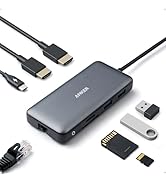
โก Elevate your desk game with power, speed, and style!
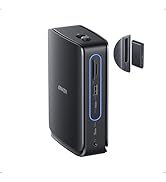
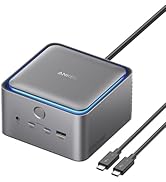
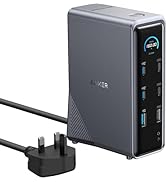
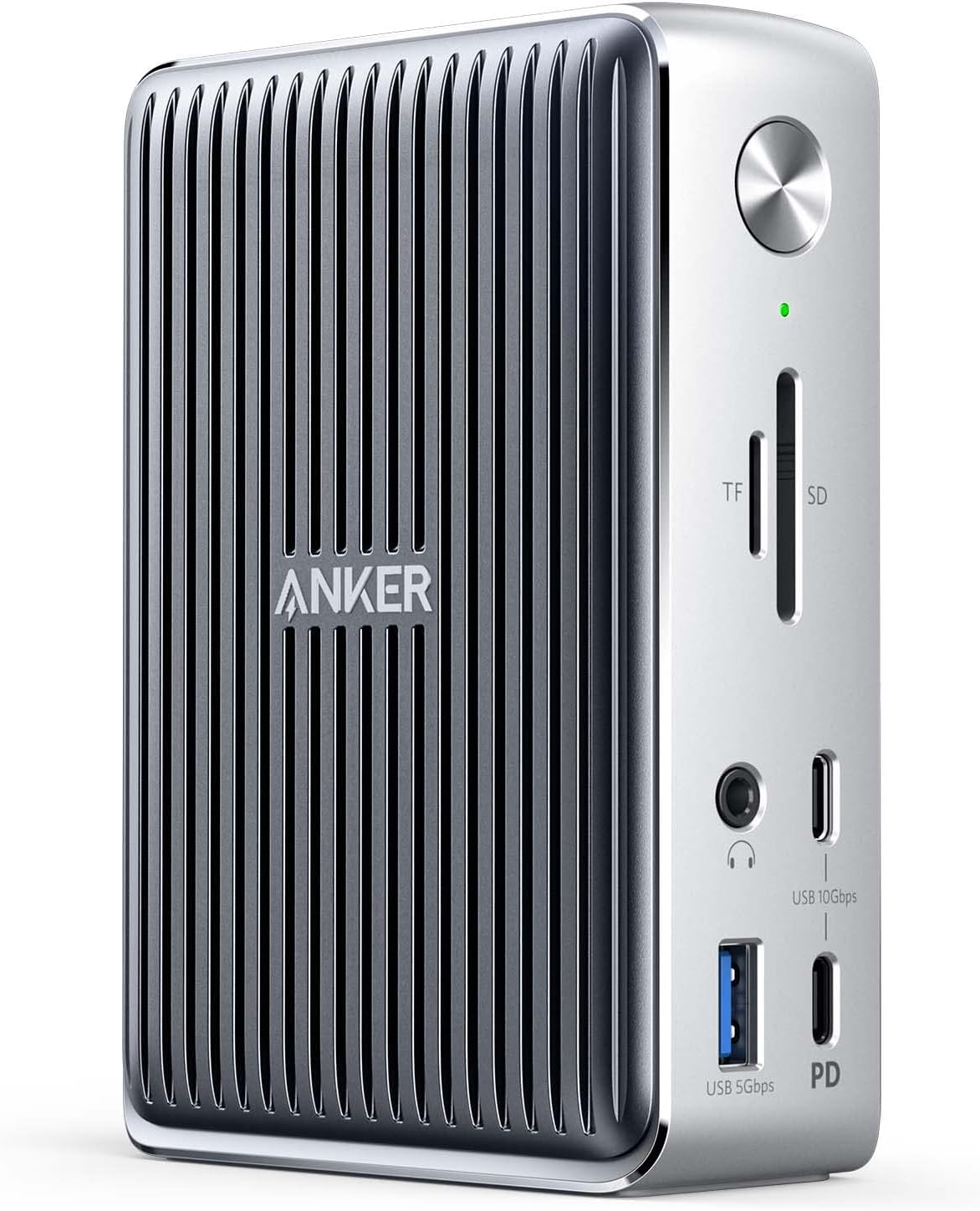
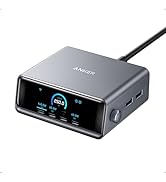
The Anker577 Thunderbolt Docking Station is a versatile 13-in-1 hub designed for Windows and non-M1 MacBooks with Thunderbolt 3/4 ports. It delivers 85W laptop charging, supports dual 4K displays at 60Hz, offers ultra-fast 10 Gbps USB-C data transfer, and includes a comprehensive array of portsโEthernet, SD 4.0, USB-A/C, HDMI, and audioโmaking it the ultimate productivity booster for professionals craving seamless connectivity and power.




| ASIN | B087BCRS1D |
| Best Sellers Rank | 65,388 in Computers & Accessories ( See Top 100 in Computers & Accessories ) 560 in Docking Stations |
| Brand | Anker |
| Brand Name | Anker |
| Colour | Silver |
| Compatible Devices | MacBook Air, MacBook Pro |
| Compatible devices | MacBook Air, MacBook Pro |
| Customer Reviews | 4.0 out of 5 stars 201 Reviews |
| Hardware Interface | DisplayPort, Ethernet, HDMI, MicroSD, Thunderbolt 3, USB, USB Type C |
| Hardware interface | DisplayPort , Ethernet, HDMI , MicroSD, Thunderbolt 3, USB, USB Type C |
| Input Voltage | 20 Volts (DC) |
| Item Dimensions L x W x H | 8.9L x 4.1W x 12.4H centimetres |
| Item Weight | 490 g |
| Manufacturer | Anker |
| Manufacturer Part Number | A8396 |
| Model Number | A8396 |
| Number of Ports | 13 |
| Product dimensions | 8.9L x 4.1W x 12.4H centimetres |
| Total HDMI Port | 1 |
| Total USB Ports | 6 |
| Total USB ports | 6 |
| UPC | 194644163037 |
| Unit Count | 1.0 count |
| Wattage | 85 watts |
A**R
Perfect for M1 MacBook Air 2020
Despite the product description, this works flawlessly with the M1 MacBook Air, the only shortfall being that the dual external display feature does not work for first generation M1 Macs - due to an inherent limitation on the MacBookโs side (it only supports the on-board display plus one 6K display according to Appleโs tech specs). I did call Anker support prior to the purchase but now I can confirm this first hand with my MacBook Air (2020) and 2K display which Iโm using. Otherwise itโs sleek and precision built with very small footprint and works like a charm - I love it and easily prefer it over some other USB hubs I have tried. It has an anti-slip feature for vertical placement, so while I have no problem using it in horizontal position, it can slip around a bit if used in this position. The all-metal enclosure is designed to dissipate operating heat with radiator fins on both sides, so it does get considerably warm-hot. While it seems well within the design tolerances, thatโs another reason you may wish to use it vertically so as not to obstruct the sides to the environment. It was well worth the rather high price tag - happy with the purchase.
C**N
Expensive, but quality makes it a great solution for specific IT problems.
A well-designed and well-built Thunderbolt docking station. The expense of such a Thunderbolt dock is NOT needed for many modern computers and laptops where cheaper USB 3 or USB 3.1 devices will meet common needs well. But this dock does a great job in extending the functionality of specific IT products. In particular, it can keep older Apple devices with built-in support for Thunderbolt but poor USB support genuinely useful for much longer than might be expected. An old 2011 iMac (High Sierra) with its still-nice display but dead internal boot drive becomes useful with modern peripherals including fast SSD drives. This generation of Apple computer only had USB 2 support so the Thunderbolt route was worth going down, allowing the purchase and use of cost-effective modern peripherals that can be re-used elsewhere when the iMac finally dies. Note that the dock DOES NOT provide the ability to boot High Sierra from a cheap external USB3 SSD. You can either boot such an elderly iMac direct from a Thunderbolt drive (Thunderbolt 2 or Thunderbolt 3 using an Apple Thunderbolt 2 to Thunderbolt 3 adapter), or from Firewire, or from the iMac's usb 2 bus. All are a decent upgrade from the original internal hard disk drive! Is the Anker dock recommended? It's a great dock of its type and has behaved flawlessly to its specifications. Well-built and not unreasonably hot in a well-ventilated room even charging up a laptop. Reasonably small - the brick-like power supply can probably be hidden below/behind your desk. Looks quite smart with Apple 'aluminium' computers in particular. Decent range of ports which all worked as specified in the item I bought. On a wider question, is an expensive Thunderbolt dock worthwhile? Yes, in particular cases the expense to extend the life of older equipment that otherwise meets all requirements is cost effective. In other cases, it might be better to simply buy current-generation computers that 'leap-frog' Thunderbolt 3 technology altogether. Depends on the relative costs and disruption to the user. Check the technical specs and think what you want to achieve. I and the user are happy. Minimal disruption to move to the Anker dock, and its fast external USB 3 data drives and Time Machine backup keep an elderly iMac pleasant to use until something else breaks!

T**R
Unreliable and prone to early failure - avoid!
I bought an Anker Power Expand Elite 13-in-1 Thunderbolt 3 Dock and installed it on my desktop - attached to a 32" display and a Dell XPS 13 laptop, the unit has remained static on my desktop, normal, light usage. 15months later it stopped working. To Anker's credit they replaced it under warranty. 17 months later the replacement has failed. Anker have declined to replace the unit, they say the 18mth warranty of the original unit has expired. Having paid ยฃ200 for a unit like this I expect it to last a good few years not months. Having some knowledge of electronics I have always been concerned, as noted I now realise by other users, about how hot this unit runs - there are no cooling fins or air vents. To quote Anker "I understand your concern that two units have failed. If a product has a basic quality issue, we would issue a recall. But this is not the case with the item you purchased; we have no increased defect rate for this product." Reading various reviews it would appear I am not the only person to suffer a failure. My advice to potential buyers is to steer clear, it is quite possible that like me you will end up with a ยฃ200 doorstop.
S**P
Nearly 2 years of full time use and does exactly what I need
I bought this March 2021 when WFH was clearly here (in some form) to stay and beyond a couple of points it has been excellent. I use it almost daily for significant periods of time and it does what I need to do well. For work I've used it between 3-5 days a week (fewer now, more back in lockdown) for 8-10 hours a day and sometimes more. I've then also used it for home purposes most evenings for at least for an hour or two and occasionally good chunks of the weekend (either for home or work). So it is a really solid workhorse. For most of this period I have had it connected for work to a Lenovo X13, which has 1 Thunderbolt 3 port (connected to the laptop) and a spare USB-C (although see below re: second monitor). I have for the most part had a 27" BenQ 1440p monitor connected through the HDMI port and an ethernet lead into that port (running a 500mbps connection (with that speed working fine and consistently). Most of the USB-A ports on the back were used for peripherals (laptop and mouse also occasionally webcam and / or separate mic) and then the USB-C. The USB-A port on the front and the USB-C ports are good for plugging in various phones or other bits of equipment that need charging. All of this has worked absolutely fine for the whole time (1 proviso noted below about 1 USB-A port on the back). I should say that I use an Apple Magic Keyboard with the X13 connected with the standard apple lightning to USB-C cable plugged in to either one of the USB-C ports on the front or the one on the back and it recognises it instantly and works fine. The mouse is a Logitech MX Master 2S and connects via a bluetooth USB connector which sits happily in any of the various USB-A ports. The webcam was a standard Logitech 720 one which also goes in one of the USB-As more recently a Razer Kiyo. Not used the card slots as no need so unable to test them. Also during this period for home use I had it hooked up to a 13" MacBook Pro retina (so intel period) and more recently a 14" MacBook Pro with an M1 Pro chip. Most of the other peripherals stayed connected and all again worked seamlessly. For this use I probably run it a bit more hard on occasion - the odd video game played on the Mac whilst having twitch streams or you tube open in background and probably that's when the dock runs warmest. But otherwise works seamlessly with the Mac as well. Very recently I've got a second 27" screen (again a BenQ QHD with 60hz refresh rate) but this time with a USB-C output and also acting as a USB-A hub with 4 ports as well. Here's one slight niggle which I don't think is the dock's fault. I have the second screen connected to the dock via the USB-C port on the rear. The older screen stays connected via HDMI. So now when I hook the Mac up it is pretty much as before only now I'm driving the two screens via the dock (and in extended mode for those that are interested - the M1 and M2 Macs could only drive two screens in mirror mode but the M1 Pro lets you run in extended if the second screen is connected via USB-C). The peripherals I have plugged in to the new Monitor are also recognised and work well. So all good there. But the X13 just will not recognise the second screen via the dock - I have to unplug it and connect directly to the spare USB-C port on the laptop. It does mean that I've gone from being able to have everything connected via the dock and just switch in home and work laptops by disconnecting and reconnecting just the one thunderbolt lead, to needing to disconnect the second monitor lead and plug it in separately on the X13 as well. As I say, it works fine on the Mac I think it must just be an issue for the X13, which I've not yet worked out a solution for, rather than the dock but it's a bit irritating. Only other negatives are that one of the USB-A ports at the back stopped working after a few months. I should have tried to return / swap but as I just don't need that many ports it was difficult to work up the energy. And the dock does run hot - as I say above, more so when I'm running a lot of stuff on the Mac - but I don't think this is unusual. As I say, I've run it for many hours a day for most of the week over nearly 2 years without problems. The heat can be quite hot on occasion but I think this is par for the course for most of these types of docks. They just generate heat and, absent a fan, the dock releases that heat via conduction and the dock is designed to do that. So overall, with the one issue with the USB-A port that failed and the more recent problem connecting a second screen with the PC laptop (which I think is not the dock's 'fault', I am very happy indeed with performance and it is still running strong.
M**D
Great link between MacBook and monitors/peripherals
This is an awesome device. I needed to hook my 2019 MacBook (Intel chip) to 2 HDMI monitors to expand my workspace. This was is simple to set up, took 5 minutes to link to the monitors (one via HDMI cable, another via USB-C/Thunderbolt-3 to HDMI cable) and it just worked immediately. Also hooked up charging for iPhone and AirPods via front charging ports and I can also now use the MacBook in clamshell mode or with 3 screens (native and 2 monitors). Money really well spent as it made my non-techie life so simple.
D**E
Disappointed. Does what it says but there are consequences - read on.
This is a good piece of kit until you start using it. First, I was an Anker Fanboi but after splashing out on this unit not so. I run two Thunderbolt 3 LaCie Drives, a 1 Gb internet connection, a USB port for a Laser Printer. Plus I use it to charge my iMac Pro 2021. It works but here are the glitches/ concerns. First it gets very very hot. In fact at times I have had to switch it off. Anker does not mention this. Given that this is not BUS powered and has its own power source this is concerning. Next, my brand new IMac has suffered battery health issues as a result of this. It does not deliver a linear power delivery. Given the price, I expected better much better. I have now stopped using it but itโs too late to return to Amazon. It has also convinced me that Anker is no longer the brand I can trust.
A**.
Anker PowerExapnd Elite, if itโs in your price range, buy it.
A good dock with lots of options. For me, itโs the future proofing that will allow me a good office set up, granted for the time being I also had to purchase some rather expensive Apple cables to connect my older MacBook Pro to it, but it has allowed full use of the Anker Dock. When looking for this, I had also considered a lot of the sub ยฃ100 dock from various suppliers. However after reading what I could only describe as a mixed bag of reviews settled on the Anker PowerExpand Elite dock. During use, a lot of other reviews for this made note that it got warm during use. And I can confirm it does, however this is not as concerning as some would advise in my opinion. Overall, a very good dock that allows me to have all my required devices connected. If itโs with your price range, I highly recommend it.
A**L
One of the best options for Thunderbolt 3 docks out there - When it's working
I've considered buying a full Thunderbolt 3 dock for quite some time now, however they have all had something that has convinced me to not buy them until this unit. This unit has (for me) the perfect blend of ports: All used for my permanent single cable solution: Gigabit ethernet (for my LAN cable) HDMI output (for my external monitor) Thunderbolt downstream (to connect a USB hub in my monitor for extra peripherals - webcam + keyboard) 3 USB-A ports in the back (to connect a Logitech unifying receiver, stream deck and microphone) Extra ports to connect temporary peripherals on the front: 2 USB-C ports 1 USB-A 3.1 port SD Card Micro SD Card I think the port layout is absolutely perfect for me, and unlike other docks like the Caldigit, it comes with a MicroSD card which I use fairly frequently for things like my Raspberry Pi's. The unit is built well and appears to have great throughput based on all the testing I have done until this point. I would highly recommend the device. The only negative point I would make about the dock is that sometimes in MacOS, it seems to detect 2 external displays as opposed to the single external display that is connected. I'm not exactly sure why this happens, but pressing the off button (front of the unit) and switching it back on seems to fix it. Perhaps this is an issue with the latest version of MacOS, either way, this isn't that big of a deal as I'm not plugging/unplugging many times a day. ************** UPDATE ********************* Reducing from 5* to 3* Having used this for a few days now, the unit that I've had has proven to be quite buggy and I'm going to have to return it. Even whilst not really using too much in the way of bandwidth across the plugged in slots, I seem to get some laggy behaviour. An example of this is when using an External SSD plugged into the USB-C slot, my mouse becomes jittery (Unifying receiver plugged into USB-A port). This coupled with the extra display being detected has convinced me that this particular unit isn't quite perfect for me. It might just be a defective unit, but it's not working as I'd hoped.
Trustpilot
1 week ago
1 week ago