We remain fully operational. Our teams are working around the clock to ensure your deliveries continue safely.

DOWNLOAD THE APP


Customer Services
Copyright © 2025 Desertcart Holdings Limited
DOWNLOAD THE APP


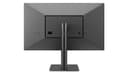
🚀 Elevate your workspace with LG UltraFine 4K — where clarity meets power and style.
The LG 24MD4KL-B UltraFine 24" IPS LED 4K UHD Monitor delivers professional-grade 3840x2160 resolution on a 23.7-inch IPS panel with P3 wide color gamut and 500 cd/m² brightness. Designed for Mac users, it features dual Thunderbolt 3 ports supporting 85W charging and daisy-chaining, plus three USB-C ports for versatile connectivity. Its ambient light sensor optimizes screen brightness, while built-in stereo speakers enhance multimedia experiences. Ideal for multitasking and creative workflows, this monitor combines premium image quality with seamless macOS integration.
| ASIN | B082HDXXYS |
| Aspect Ratio | 16:9 |
| Best Sellers Rank | #295,360 in Electronics ( See Top 100 in Electronics ) #5,858 in Computer Monitors |
| Customer Reviews | 4.3 4.3 out of 5 stars (144) |
| Date First Available | August 22, 2019 |
| Image brightness | 500 cd/m² |
| Item Weight | 11.44 pounds |
| Item model number | 24MD4KL-B |
| Manufacturer | LG |
| Product Dimensions | 218.94 x 19.8 x 129.41 inches |
| Resolution | 3840 x 2160 |
| Standing screen display size | 24 Inches |
| Total Usb Ports | 3 |
C**N
Easy to use and excellent picture. Good companion to LG 5K UltraFine
I’ve had the LG 27 inch 5k version of this monitor for the past two years and loved it. I wanted a second monitor but didn’t want to cough up the cash for another 5k. I found the 24 inch 4K version could be had much cheaper and decided to give it a shot. Picture quality: before ordering it I was initially concerned I’d notice it as having worse picture quality compared to the 5K After all, the 5K has 216 ppi versus 186 from the 4K. To be honest, the 4K monitor still looks great and I don’t really notice a difference in everyday use. Sure, if you put your face up real close and look you can’t tell a slight decrease in picture quality, but I can’t tell when sitting at a normal distance. Only reason I rated 4/5 and not 5/5 is due to the 5Ks higher pixel density. Features: this one does not have a webcam built in, but instead has an ambient light sensor that can adjust screen brightness. My 5K monitor is the opposite- camera but no light sensor. I never use the camera anyway and prefer the light sensor. The monitor has 4 USB-C ports in the back where you can keep any accessories plugged in. Ease of use: just plug and play. It’s that easy. You can set it up to be used as an additional monitor to your MacBook screen, or close your MacBook and use it as a sole monitor. I have a wireless keyboard and trackpad so I have my MacBook closed most of the time. Super convenient as it’s only one cable and it charges the computer too. Using multiple monitors: Yes, you can use both a 5K and 4K monitor together. I am using a late 2016 15 inch MacBook Pro with touchbar. *I’m not sure if the 13 inch will be able to push both monitors. According to Apple, the 15 inch can run 2 5K monitors or 4 4K monitors at once. The 13 inch can do one 5K or 2 4K. Just FYI before you buy* I searched and searched and could not find a clear answer. The only stipulation is that you need to plug one monitor into a right USB-C and the other into a USB-C port on the left side of the MacBook. Build quality: monitor is pretty heavy and has a heavy duty metal base. Great quality overall. Support: I’ve had great experiences with LG support. My 5K monitor died after an electrical transformer went out in the neighborhood. LG fixed it for $150 since it was out of warranty and I was only without it for 3 days. Very reasonable price for the service.
R**R
Found the monitor I’ve been looking for on my MacBook Pro laptop.
Bought this to use for working at home to reduce the eye strain that I was experiencing with my 24” Samsung. I am running Windows 10 on VMWare, and was concerned that it would not work well with Windows. I could not find any reviews that covered this question except for one other review on Amazon indicating the user had difficulty getting a text size that worked. My experience is that this works perfectly with Windows 10 and with my Mac. The display is crystal clear and easy to read. I could select multiple resolutions on the Windows side. Sure, you have no buttons and it has only USB C ports, but I am comfortable with that fact and my personal use of the computer will be on the Mac side, including my iPad Pro (still waiting for IOS to give greater support to iPad Pro). I am also a photographer and I love the crisp and bright detail it provides for editing and viewing photos. It’s a little pricey, but worth every penny in my opinion. Fantastic monitor and I would buy it again!
V**I
Wonderful display.. No regrets..
My impressions after one month of use... I was reluctant before buying this monitor as many people mentioned it was not the over 200ppi retina, and you could experience visual blurriness if used with scaled resolution. I am obsessed with retina display quality, but I don't need to see anything so much up close on the monitor. I am using it with a MacBook Pro 15. This monitor is excellent, including in the scaled resolution which I use it in. No waking up issues with Mac. Honestly I can't speak to a single negative point about this monitor. Yes it is pricy, and may be the same satisfaction can be found in a less expensive monitor, but it has many plusses as well. I really like the auto-brightness control. The screen is glossy, but not reflective. And you don't need to use the large charger of your MBP, as this one charges it while using a regular plug.
M**N
NO CAMERA AND THIS IS ONE REASON I NEEDED THE MONITOR!
The monitor itself is great but it did not indicate no built in camera so using continuity camera required lots of running around finding out what I needed and then the settings are wonky. For the price this is outrageous and it wasn't mentioned in the advertisement.
A**R
Appropriate Addition for Mac
Monitor for 2023 Mac mini. Space had restrictions, so purchased 24"--would have got 27" otherwise. Display is beautiful--on par with native Apple products. No damaged pixels and sharp image across a variety of different resolutions--no visible evidence of scaling. There is no power button on the monitor; connect the Mac mini to the monitor via Thunderbolt, and powering on/off the Mac mini turns on/off the monitor. I would have liked the monitor to have Thunderbolt 4 (which Mac mini supports) for longevity, but that is just a desire, not a necessity. The bezels are larger than some other monitors--including other LG UltraFine models, and you can see a lot of back-end bulk from side profile. However, the quality of this monitor makes the cosmetics inconsequential to me. Nice touch: my monitor shelf is not perfectly even; monitor tilt is firm enough to compensate and get screen horizontal in midst of slight lean.
E**N
Screen flicker
After a few months, the screen has a constant flicker to it. Bought a new cable and still the same issue
P**S
it works great
I bought it to use with a new Mac mini with M2 chip in January 2023. I plugged it in to the Mac and it ran fine without any tuning or adjustments. Sharp, bright, clear, good colors. Runs very cool. It just worked. Just what I wanted. I hate having to play around with half baked hardware and software to get something to work with the OS. This monitor works right out of the box with Apple. As far as I know , it is the only monitor that Apple sells for use with its computers that isn't Apple branded(although I bought it from Amazon). You get what you pay for. This review written after 5 months of daily use.
A**M
Macbook prolardaki renk ve goruntu kalitesini bu monitorde buldum cok begendim. Daha once yine LGnin 4k monitorunu almis ancak iade etmistim. Bu monitor gercekten macbook pro goruntu kalitesi ile ayni. Keske 5K olanini alsaydim.
Trustpilot
5 days ago
2 weeks ago