Buy anything from 5,000+ international stores. One checkout price. No surprise fees. Join 2M+ shoppers on Desertcart.
Desertcart purchases this item on your behalf and handles shipping, customs, and support to Brazil.
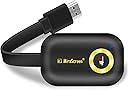
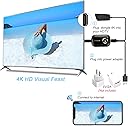
Buy Wireless Display Adapter YEHUA 4k HDMI WiFi Miracast Dongle Screen Mirroring Airplay Cast Phone to TV/Projector Receiver Support Android Mac iOS Windows: Streaming Media Players - desertcart.com โ FREE DELIVERY possible on eligible purchases Review: Good for the money! - This was pretty easy to install to our regular TV and connected to my IPhone. We donโt have cable and my daughter wanted to watch her anime shows so I thought this would work perfect. I was overthinking the install. Just donโt forget to use the screen mirroring button on the iPhone. Works pretty good for a quick fix. I would say just a slight digital effect on the TV. Worth the money! Review: Barely works for more than 20 minutes at a time. - It worked for 10-15 minutes than disconnected. Iโm 5โ from the tv. It will freeze and Iโll have to reboot. Updated the firmware expecting better results and nothing changed. I even down graded the picture quality from 1080p to 720p and it lasted 20minuts before crashing. Itโs a good thing this was on sale at the time. But itโs just been inconsistent in streaming quality. The unit gets hot, I suspect itโs just getting overheated. Should have returned it while I could. Edit: reached out to the company and never heard from them.


| ASIN | B08292FM89 |
| Customer Reviews | 3.4 3.4 out of 5 stars (664) |
| Date First Available | May 8, 2019 |
| Is Discontinued By Manufacturer | No |
| Item Weight | 2.39 ounces |
| Item model number | 778778879349 |
| Manufacturer | YEHUA |
| Product Dimensions | 4.17 x 4.17 x 1.15 inches |
A**R
Good for the money!
This was pretty easy to install to our regular TV and connected to my IPhone. We donโt have cable and my daughter wanted to watch her anime shows so I thought this would work perfect. I was overthinking the install. Just donโt forget to use the screen mirroring button on the iPhone. Works pretty good for a quick fix. I would say just a slight digital effect on the TV. Worth the money!
V**R
Barely works for more than 20 minutes at a time.
It worked for 10-15 minutes than disconnected. Iโm 5โ from the tv. It will freeze and Iโll have to reboot. Updated the firmware expecting better results and nothing changed. I even down graded the picture quality from 1080p to 720p and it lasted 20minuts before crashing. Itโs a good thing this was on sale at the time. But itโs just been inconsistent in streaming quality. The unit gets hot, I suspect itโs just getting overheated. Should have returned it while I could. Edit: reached out to the company and never heard from them.
J**L
Be warned: This does NOT actually SUPPORT Miracast 4k mirroring & there are TWO VERSIONS- 2.4 & 5G
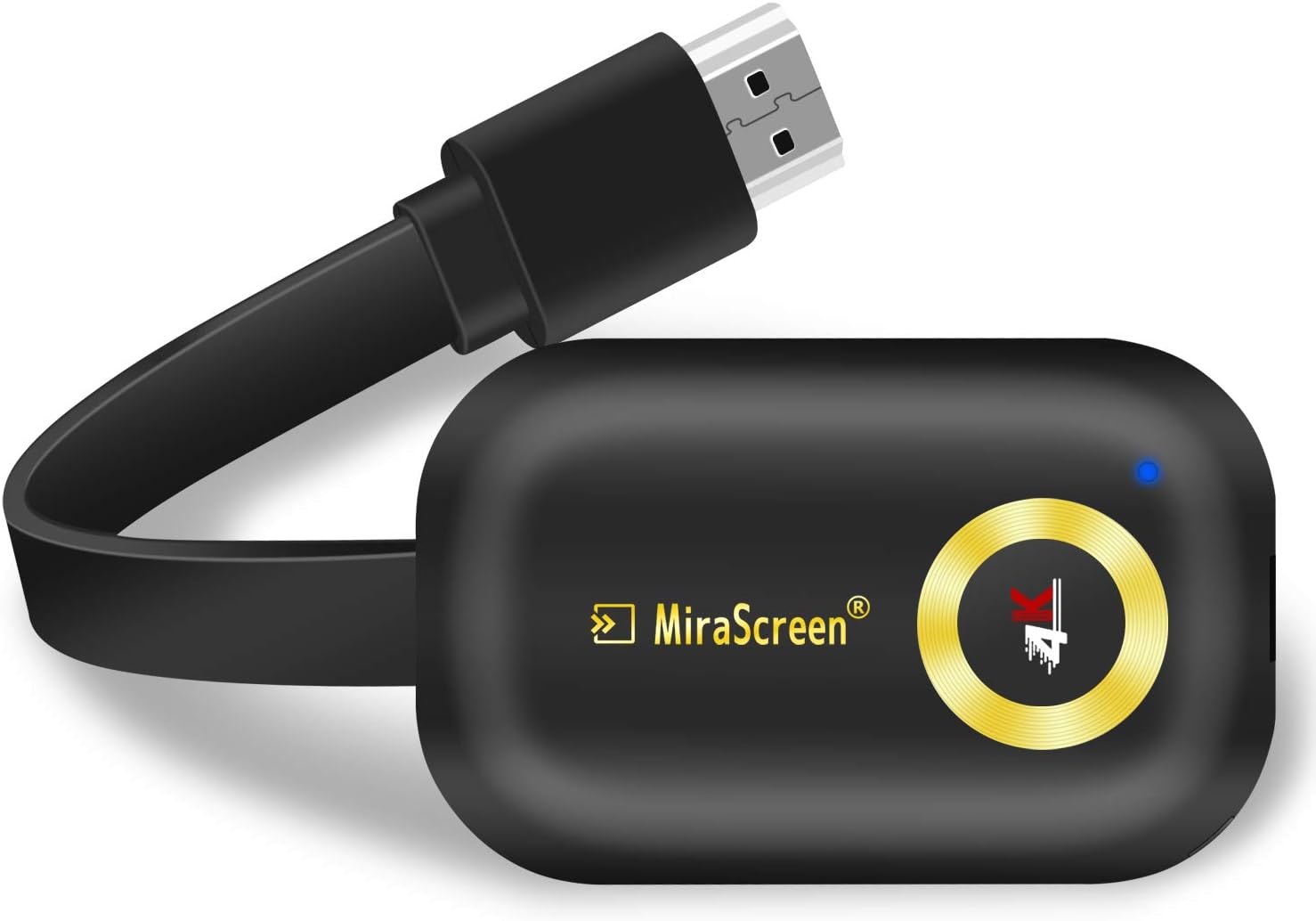
First, there are two versions of this, a dual-band 5ghz/2.4ghz and the older 2.4g version. You may get either from this listing! My unit came in a box that said it was 5g, and it's not! The outside antenna portion is slightly different between the two. The antenna needs to say "dual-band", or it is only 2.4g. But, NEITHER of them support 4K miracasting! (Only the new 4k Windows Adapter does that right now) I intended to use this for 4K Miracasting from a Windows 10 Lenovo T580 (which has enough graphics capability to drive two 4K monitors and Miracast compatible hardware) to a Hisense 4K TV; however, no configurations have resulted in 4K output to the TV. I have tried the direct Miracasting (no router intermediary required) and the EZCast-Lite (requires a router like a Chromcast), and both max out output resolution at 1080p. The direct MiraScreen-MIRACAST connection is MUCH faster than the EZCast wifi connection, delivering smooth mouse actions on the TV. I have emailed the company and sent them screenshots of all settings to request support. I will update this review if I figure out a fix or if my hardware is a bottleneck (I don't believe that it is), but as for now, I would say that this device is not actually 4K capable for mirroring or desktop extension using WIFI or MIRACAST. That is to say the following statement is most likely false advertising, as this does not appear to be a 4k-capable MIRACAST adapter. "Work with 4K(3840 X 2160) resolution, this miracast adapter offers you the most clear and vivid images in a large screen. You can directly mirror or cast your phone, pad, laptop to HDMI devices such as TVs, projectors and monitors." My hunch is that the MiraScreen is probably capable of displaying 4K streams from outside sources (not tested), but that it probably doesn't have the necessary hardware for 4k Miracast support. To my knowledge (and to this date), the only 4K miracast solution is the new Microsoft adapter for $69 https://www.amazon.com/Microsoft-Wireless-Display-Adapter-Black/dp/B08JM41WGW I'm giving this three stars because my first impressions are that it's a really nice and flexible streaming adapter, but it does appear they are overstating its 4k capability. I have ordered the Microsoft unit above to test against this, which should confirm that my hardware is not the issue with 4k throughput. Again, if the mirascreen support gets back to me with contradictory information, I will update this review. ----- UPDATE: ------- CONFIRMED - DOES NOT SUPPORT Miracast 4k standard. Micrascreen actually has pretty decent support. They confirmed there are two versions and neither version of the MiraScreen G9 plus supports 4k functionality for miracasting.... direct from their CSR: "MiraScreen G9 plus is not support 4k miracast mirroring, but supports 4k resolution." I think this means that it can output certain 4K content, but it cannot connect through miracast with a 4k connection. Since I purchased the Microsoft 4k adapter and it is delivering 4k via miracast (only after connecting first to a 5ghz router), and I feel pretty duped into thinking that a 4k Mirascreen adapter was capable of 4k Miracasting, I will be returning this unit partially on principle. I don't care for deception.
J**Y
Works, but clunky and keeps taking MacBook's WiFi connection
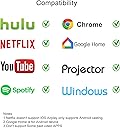
Documentation is challenging. The iPhone app recommended didn't seem to do anything useful at all. What worked (a bit too well) was plugging dongle into HDMI on TV, connecting to its WiFi (per displayed info), then using web browser to connect (via its WiFi and built-in web server). From there, can use web menu to connect local WiFi and adjust a few settings. Updated firmware to latest. And then I could connect from iPhone or MacBook via AirPlay. Putting iPhone or laptop display on big screen is kinda cool, not terribly laggy. Was a little sad that MacBook didn't recognize full 4K resolution though (it would only allow up to 1920 x 1080). TV (LG OLED) is 4K capable, but maybe laptop just isn't able to drive it. I can't tell from TV if it is being presented with 4K or not by the dongle. BUT... dongle doesn't work to play streaming services Prime Video, Disney+, AppleTV+, or Netflix. Listing did say "NOTE: ios device do not support Netflix, Hulu and other encrypted and paid video", but I didn't expect that EVERYTHING on these services is encrypted all the time. FATAL issue for me, though, was that after configuration, it doesn't turn off its internal WiFi SSID / access point. Laptop would keep connecting to dongle for WiFi, which would then act as router to normal WiFi, but with significant loss of speed and responsiveness, and some sites not working. This was even after repeatedly telling laptop to forget about that network, running latest MacOS (10.15.4). Possibly this is intended to improve video performance by having devices connect WiFi-direct to dongle, but result is much slower internet speed (like down from 300Mbps to 20Mbps). And there's no choice about it. Switching to home WiFi worked for a while, but then when laptop was near TV it would switch back to dongle. Weird.
A**N
Super easy casting and almost zero lag !!
Super easy casting and almost zero lag. Box packing was superb and device from unboxing to setup to usage felt high quality. Everything was up and running within no time. A great addition to smart tv. Handy feature to cast anything anytime. Device itself is super small and hides behind tv.
C**.
Dongle
Great
P**L
Not as expected
I had already mirrored a mobile through an application with bad results. Resolution was too bad and video froze intermittently. I thought that would be corrected with hardware with no avail. Besides, that's too complicated to establish connection. I tried a 4K video and it mirrored standard VGA at best (even though box states 4K and configuration was correctly set to 4K) and video keeps freezing as usual. Maybe I expected too much from this. Not too bad perhaps if just to mirror a mobile screen to a device without Wi-Fi capabilities.
G**H
Will Not work with Amazon Prim Video
works ok for You Tube, NOT Prime Video Amazon Prime Video is NOT mirrored to TV ONLY Audio is sent to TV. Tested both through web page and through the amazon prime App. Browser video and from facebook messenger where LAGGie and paused frequently. I was trying to mirror a Apple I-Phone-6+
Trustpilot
2 weeks ago
3 days ago