Buy anything from 5,000+ international stores. One checkout price. No surprise fees. Join 2M+ shoppers on Desertcart.
Desertcart purchases this item on your behalf and handles shipping, customs, and support to Brazil.
🚴♂️ Ride Smart, Track Effortlessly, Own the Road!
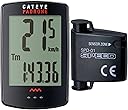
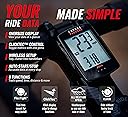
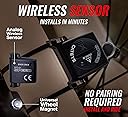
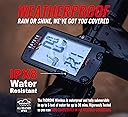
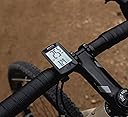
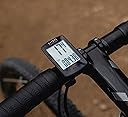
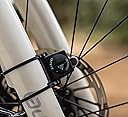
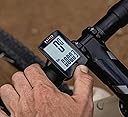
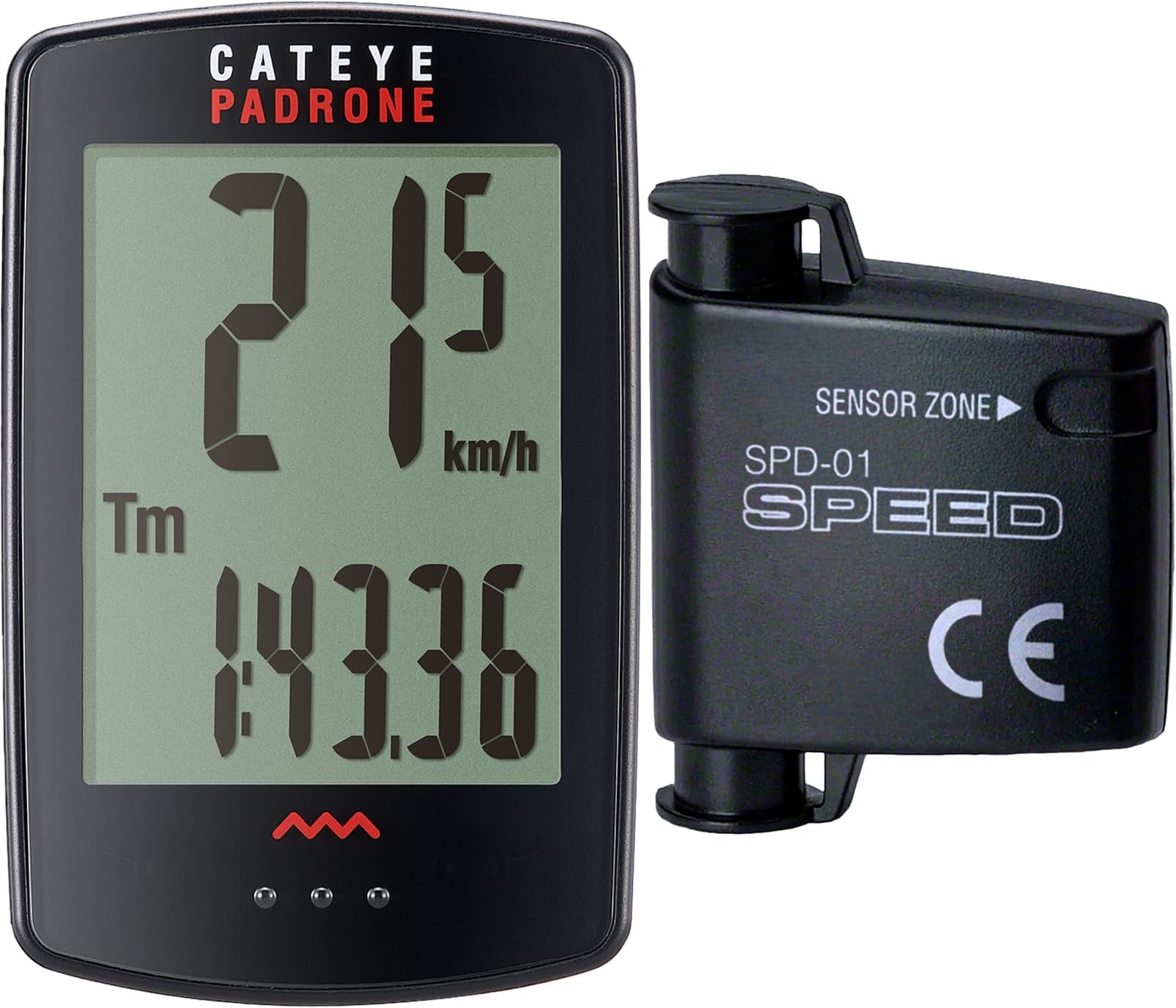
The CATEYE Padrone Wireless Bike Computer combines a large, easy-to-read 5.5 cm LCD display with a reliable wireless analog speed sensor and an ultra-long 1-year battery life. Designed for road, MTB, and gravel bikes, it features intuitive ClickTec controls and an auto start/stop function that pauses tracking during stops. The FlexTight™ mount ensures quick, secure installation, making it the perfect companion for cyclists who want accurate, hassle-free ride data without GPS complexity.


| ASIN | B00TINWLDY |
| Battery Average Life | 1 years |
| Battery Type | Lithium Metal |
| Best Sellers Rank | #14,954 in Sports & Outdoors ( See Top 100 in Sports & Outdoors ) #11 in Cycling Computers |
| Brand | CATEYE |
| Brand Name | CATEYE |
| Color | Black |
| Connectivity Technology | Analog Wireless |
| Customer Reviews | 4.3 out of 5 stars 2,425 Reviews |
| Display | LCD |
| Display Size | 5.5 Centimeters |
| Display Type | LCD |
| Global Trade Identification Number | 00725012026069, 00725012027813 |
| Human Interface Input | Buttons |
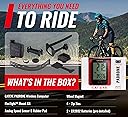
| Included Components | Analog Speed Sensor, Computer Head Unit, Universal Wheel Magnet, Zip-Ties, FlexTight™ Mount Kit |
| Item Dimensions L x W x H | 1.69"L x 0.57"W x 2.64"H |
| Item Type Name | cyclingcomputer |
| Item Weight | 0.03 Kilograms |
| Manufacturer | CATEYE |
| Manufacturer Part Number | CC-PA100W w/stopwatch |
| Model Number | CC-PA100W |
| Mounting Type | Handlebar Mount |
| Product Dimensions | 1.69"L x 0.57"W x 2.64"H |
| Screen Size | 5.5 Centimeters |
| Sensor Type | Analog Wireless |
| UPC | 725012026069 725012027813 |
| Warranty Description | 2 Year Manufacturer |
J**N
Well designed, easy enough to install and amazingly accurate
This is the second bike speedometer I bought for my new bike. I was unable to get the first one of work on my bike. Works as described. Easy to install. Its a little fiddly to get the sensor positioned correctly but after I got that dialed in its been working perfectly for a couple of hundred miles. I have checked it against my phone cyclinlg app and its spot on in terms of accuracy for both speed and distance. After a 20 mile ride there was only a . 02 mile difference between this speedometer and my phone app. Just selected the tire size off the chart provided with the instructions. I like that its very easy to reset it before a ride and that the display is nice and large and visible in direct sunlight, unlike my phone when is difficult to see when out riding. I did not find it difficult to upset but then I grew up in the days where programming your VCR required a PhD. It took a few minutes to get it set up and by the time I might have to do it again I will have forgotten how to do it. I'd buy this again.
A**N
Great bicycle computer for the money!!
If you follow the instructions that are provided it is easy to set up the computer! Attaching the computer to the handle bar or stem is straightforward. Attaching the magnet to the wheel is easy the hardest part about this setup is getting the wireless sensor just right. The computer is easy to use. Once it is set up and in its slot it is just a matter of pressing the area just below the screen to go through different screens and options. To clear the data from a ride just press and hold the same spot for 3seconds. Everything goes to zero except the ODO. Odometer. Great computer with easy to read text and numbers.
G**S
Works as advertised, but something important to be aware of...
Unit works as advertised. The way that the unit interfaces the mounting bracket to provide a simple "button" effect when pressing on the lower part of the unit, is very handy and intuitive! No need to search for a specific button in order to scroll through displays while riding. The issue I had with the unit is that the use of my LED lite, being adjacent to the bike computer, caused RF interference and rendered the unit inoperable. I performed AB-AB testing to verify this. For me, I will have to go back to using a wired device. Your mileage may vary depending on the light that you use, its proximity to the bike computer etc. Just sharing this as a heads up to others. I gave the item 5 stars because it DOES work as advertised and I can't hold the manufacturer responsible for the way a 3rd party item affects its operation. Thanks
O**E
Large screen. no second trip meter
I have two Padrone's, one for each bike. I bought the first one here at Amazon almost a year ago. I've had no issues with it. Easy to set up (especially if you are familar with Cateye computers). Huge screen, I can read all the data without my reading glasses. A couple of things I do not like- No second trip meter. Sometimes I like to know the distance between two points on a ride, without doing the math in my head. If you reset the trip mileage, it resets everything except odometer and clock. If you use the stem mount position and accidentally press down on the computer head it will reset. I've done this a few times when I reach down to pick up something on the ground, or to tighten my front wheel skewer. If you use a Cateye Outfront bracket this will solve this problem. However if you use a front daytime riding light, the light will interfere with the computer and you will get no readings. The sensor on the front fork is huge and hard to get the angle close to the wheel magnet if you have an aero fork. I replaced the sensor for this computer with an old Micro Wireless sensor and it works fine. Smaller and easier to get close to the magnet. Overall this is a good basic computer. I preferred my old Strada Slim but the screen was too small. I gave it to my son-in-law. Might go back to the standard Strada (it has two trip meters, and a larger screen). I've owned a ton of computers over the years and had very few problems with the Cateyes. I gave it 4 stars as it has no second trip meter. This might not be important to you.
R**N
A Quality Reliable Cycling Computer
First off: Item arrived to me on time and as advertised. This is the second Padrone computer I've purchased in the past seven or eight years, so ... I have quite a bit of experience with this product. Highly recommended. Easy-breezy setup and consistent, reliable performance. Have had to change the battery (in both unit and sensor/transmitter) one time (in my original Padrone) in eight years. Large display is a real plus -- no squinting. Obviously this unit does not provide all the bells and whistles of more expensive units (GPS navigation, cadence, etc.) but, ... if you're looking for a computer that accurately and consistently provides basic (+) info, you really can't go wrong (in terms of quality and price) with the Padrone.
A**T
Fatal Flaw
The CatEye Padrone CC-PA100W is a decent product. I like that it has only one button and it’s easier to operate than my other multi-button computers. Installation was simple; however I managed to get the computer and bracket connected BEFORE mounting it on the bike [busy fingers] and could NOT get the two apart without forcing a small screwdriver between them as there is no quick-release mechanism. Another “like” is the neodymium magnet that attaches to the spoke – the sensor picks it up very easily and the reed switch inside the fork-mounted transmitter can easily be heard chirping so there was no guessing about adequate distance between the magnet and sensor. The display is huge which I also love. Full disclosure: This was a gift for my wife. She rides her bike 5 days per week and 3 of those rides are in the dark. What she and I both dislike about this model is that once the display goes to sleep (after 1 hour of inactivity), you MUST press the screen to turn it on; it won’t just start working when it senses the wheel spinning as all my others have done. This is my first wireless model so now I’m wondering if they’re all like this. Therefore on dark ride days, if you forget to turn the speedo on, when you finish your ride, there’s no data. The instructions are unclear in this area, so I emailed CatEye and they confirmed what I’m experiencing is normal. This seems like an oversight to me and should be corrected by the manufacturer. The many functions of this cycle computer may or may not be necessary during a typical ride, BUT the odometer should function regardless – without thinking about it or rider intervention. Period. The Padrone not starting automatically turns this otherwise useful tool into a gadget or toy. This otherwise great product is a failure, in my opinion.
S**R
Perfect for Basic Data Collection
Biking is one of our favorite activities, and when traveling, we are always looking for bike trails. Over the years, we have biked short, medium and long distances. The longest distance that we have biked in one day was 50 miles on the Trail of the Coeur d’Alenes last year (2022). During that same trip, we biked 42 miles on a different day on that same trail. And this summer (2023), we biked 37 miles on that trail. All of these treks were on different sections of the trail, which is a combined distance of 72.5 miles one way. When biking medium and long distances, I am always curious about how far we’ve gone and I am frequently asking my husband (Larry) throughout the treks. He uses a GPS app on his phone to track everything that we do, not just biking. I wanted something to track our biking data myself, but I didn’t want to use my phone/an app. Thus, the search for a wireless bike computer began Spring of 2023. I am not a technology-compatible person, so I needed a very basic, user-friendly product. After researching two dozen bike computers (all different brands/types), I decided on the CATEYE, Padrone Wireless Bike Computer. My Trek Dual Sport 3 (WSD) came with a mount on the handlebar specifically for a bike computer, but I had difficulty finding one that was compatible with that mount. Larry checked with Trek and it appeared that the device would be compatible with the existing mount on my bike, but when we received it, we learned it was not. I had planned to return it but changed my mind once I realized that swapping out the mount wasn’t that big of a deal. The mount that came with CATEYE ended up working perfectly. BIKE SET UP: I found the setup to be quite tedious, but for the average person I am certain that notion would not be applicable. Fortunately, I had Larry to help. The CATEYE mount is about the same size as the one that came on my bike but is just shaped a little differently. A feature that I like about the CATEYE mount is that it is easy to adjust the angulation on the handlebar using the knob on the back. Sometimes I angle it up a little higher and other times a little lower. With that said, however, it is vital to mention that if the mount is angled down too far on the handlebar, then it will be difficult to toggle between different screens on the monitor. Once the new mount was in place, the next step was putting on the sensors and that is what took some fine-tuning. The little round sensor that attaches to the spoke on the front tire has to align perfectly with the transmitter on the fork of the bike. It took multiple attempts to line them up perfectly. After the first few tries, we thought perhaps the battery was dead, so we replaced the battery yet the monitor still wasn’t working. Initially, we had the transmitter positioned in the middle of the fork, horizontally. We finally realized that it needs to be closer to the sensor. We then angled the transmitter inward on the fork so that it would be much closer to the sensor and they could communicate. My advice: be patient and just keep working on it till you get it right. Admittedly, I was not patient through this process. VISIBILITY: The CATEYE has a very clear screen and the numbers are easy to see. Initially, I tried to find a computer with an LED backlight but just couldn’t find something with consistently good reviews. However, I am very pleased with the visibility of this. I have no issues at all, even when biking in open, sunny areas. NOTE: I recommend taking the monitor off the mount when not in use to protect the screen; I keep it in a small bubble pouch that it came with. EASE OF USE: To change the data on the monitor, you place the device in the mount and push down on the three little dots located on the bottom of the device; you will hear a clicking sound each time you push down. When I had the device in my hand, I kept pushing the dots and nothing happened. That is when I realized that the little dots are not a “button,” but rather serve as a marking point for the section where you push down so the gray center button on the backside of the unit will then change the data on the monitor. To “reset” the computer in between rides, you push down for a few seconds. The monitor does not have an on/off switch. It turns off by itself (like a hibernation mode) when not in use after a period of time. Switching from screen to screen to see different data while biking is simple. Just push down on the little dots and you can easily toggle between different screens of data. While biking, I prefer to leave the screen on individual trip distance (i.e. how many miles I am currently biking). When we are finished biking, I then scroll through all of the different data that the device collects: individual trip distance; total odometer distance; average speed; max speed; elapsed time; clock. A few things to note: When you stop biking, all data collection completely stops, unlike that of an app/program where you have to “pause” in order to keep an accurate time of the activities. I really like this feature because Larry has to pause and restart his program for accuracy; I don’t have to do that with this device. I also like that the computer keeps track of the total miles and amount of time that I’ve biked using the device. When you “reset” in between treks, it only resets the individual trip distance, clock (time per ride), average speed and max speed. ACCURACY: On every trek, Larry and I compare the mileage data between our two different methods of collection. Between Larry’s GPS and my CATEYE, the difference is usually within one-tenth of a mile. He believes his GPS data is the ultimate scale of accuracy. And while that *may* be the case, my CATEYE is close enough for my purposes. I just wanted something to give me a general idea, as I am biking, of how far we’ve gone. FINAL THOUGHTS: I am extremely pleased with this device, as it is perfect for my purposes. Thus far, I’ve biked a total of 142.2 outdoor miles and 10.43 total hours while using this between the months of May – Aug 2023. The reason for which I specify ‘outdoor miles’ is because I have an indoor bike trainer that I also use with my Trek bike. However because the CATEYE attaches to the front tire, I am unable to use it to track my ride data. I have looked at bike computers compatible with indoor bike trainers, but I don’t feel the need to purchase one at this time. If you are looking for a very basic, easy-to-use bike monitor then the CATEYE may be a great fit for you. As mentioned above, the mileage may/may not be 100% spot on, but it is certainly close enough for those, like myself, who just want a general idea of their bike trek data.
J**S
Exelent durability
Basic bike computer, simple to set up and use, very reliable, long battery life, relatively inexpensive and it has all the basic features necessary. I own four of them (one on each of my bikes) oldest one is 9 years old and never had any problems with any of them. Highly recommend.
C**B
Excelente
Muy buena pantalla. Llegó una semana antes de lo previsto. La esteucutra de montaje es sobre el cuerpo del manillar, la base de la segunda foto en la que sobre sale de la bici no la trae.
J**Y
Five Stars
Great Product, Fast Shipping
C**N
Su exactitud
Me a gustado el diseño. No me a gustado la presentación.
A**R
Highly recommended
Love this cat eye I’ve had many others on all my mtb but this cateye padrone is my favorite the holder it comes with is the cats meow very easy set up, like the larger face, makes it easier to read and I enjoy how easy it is to switch between the modes highly recommended this cat eye
J**.
Sehr gut mit kleinen Einschränkungen
Funktioniert sehr gut. Einschränkungen: Man muss es beim Start manuell einschalten... und im Dunkeln bleibt es dunkel...
Trustpilot
1 month ago
1 month ago