Buy anything from 5,000+ international stores. One checkout price. No surprise fees. Join 2M+ shoppers on Desertcart.
Desertcart purchases this item on your behalf and handles shipping, customs, and support to Brazil.
🔗 Tiny Tech, Massive Freedom: Stay Connected Anywhere, Anytime!
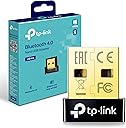
The TP-Link Nano USB Bluetooth 4.0 Adapter (UB4A) is a compact, plug-and-play Bluetooth dongle designed for Windows PCs and laptops. Featuring Bluetooth 4.0 with low energy technology, it offers long-range, stable wireless connections while maintaining backward compatibility with older Bluetooth versions. Its ultra-small size ensures a discreet fit, and driver-free installation makes setup effortless. Ideal for professionals seeking a minimalist, reliable, and energy-efficient Bluetooth solution.


| Brand | TP-Link |
| Colour | Black/White |
| Compatible devices | Desktop |
| Data link protocol | Bluetooth, USB |
| Hardware interface | USB |
| Product dimensions | 15L x 7W x 19H millimetres |
T**M
Good for gaming
Great piece of kit. Does exactly what it says on the tin. Use this with my headset and my controller. No issues at all, quick to set up and reliable connection. Make sure you install the drivers from the tp link website.
P**N
Good value BT adapter
Works much better than my ailing motherboard Bluetooth,great distance too... Wasn't to difficult to set up,basic pc knowledge will be helpful as old Bluetooth adapter has to be disabled properly.. Instructions are fairly clear.
R**E
This works well, but beware as I found that my Win 10 (Ver 1909) has gap in Bluetooth support
There is nothing wrong with the product itself, and it ought to work well in plug and play with native drivers IF windows 10 Bluetooth support didn't let it down. That's apparently no fault of this product, though, so I haven't marked it down, and there is a workaround. 1) WHAT HAPPENED TO ME USING WIN10 PLUG AND PLAY: Product installs immediately. All drivers present and correct. Paired an audio speaker successfully. But wouldn't play, and in sound control panel it persistently said the device was 'disconnected'. The internet is absolutely full of people reporting exactly the same problem, and loads of suggested "solutions" that simply don't work - I tried most if not all of them! After further research - likely cause is that it seems until Win 8 Microsoft left it to hardware device suppliers to provide their own Bluetooth stack software, but from 8 onward Microsoft implemented a plug and play driver solution within windows itself. But this is inadequate/incomplete in some respects and they are currently working on completing it - no immediate solution therefore unless manufacturers provide 3rd party drivers. HOW I SOLVED IT EVENTUALLY: TP-Link claim to provide pre-Win8 drivers for the UB4a but the link on their website doesn't lead to drivers! However they often talk about UB400 at the same time, and UB400 does offer a driver in the support page for Win 7 and below. I decided to risk trying it with this product on Win 10. Result: it installed perfectly first time and the product now works with devices exactly as expected. You just have to right click the Bluetooth icon in the notification area to gain access to the Bluetooth functions, as obviously this software predates win10 and is not integrated into the win10 native bluetooth interface. The driver software is badged as "CSR Harmony Wireless Software Stack" and although it is a bit long in the tooth, it is a perfectly acceptable substitute until Microsoft get round to finally fixing their inbuilt bluetooth software stack driver. UPDATE: I need to revise the above having just taken delivery of super Bluetooth Headphones which I've reviewed elsewhere. These DID connect to this product when using Win10 plug and play mode without any additional driver. My previous attempts had been with an older Bluetooth cube speaker. So, as other reviewers have said - you might be lucky with plug and play. Seems this may depend on newness of Bluetooth item to be connected. Or, probably for older Bluetooth items, you may need to resort to the older driver as described above. I guess it is down to Windows not recognising/supporting older products - another example of software-driven product obsolescence keeping landfill busy and manufacturers happy. Well I don't give in that easily! My Bluetooth cube speaker lives to fight another day.
T**R
100
Actually very good. Usually usb BT adapters are spotty and withimited range. This is reliable and long range. Needs dedicated driver install but very solid
W**L
High quality, very fast Bluetooth connection
Really good Bluetooth connection, allows me to connect my controller to my pc, no noticeable delay same with AirPods very good stable connection, very high quality. Just need a spare usb port so very easy to connect, cheap compared to quality, highly recommend. If you want high quality and speeds get this.
S**A
Works
Works ok if you're close to the router and not bad if you don't need amazing speeds. I previously used the TP-link AC1300 in my downstairs PC and originally bought this for my upstairs PC but quickly found out that the wifi signal wasn't going to be strong enough for games (the wifi was getting 10mbps with the ac1300 vs 2mbps with this combined one) I do like how it has combined wifi and bluetooth as thats 1 less thing to carry around. But overall, I'd recommend getting a more powerful adapter which can handle the dead spots better. Overall, I love the size of this one as I can have it plugged into a better port. It does have a green flash which I'd like to disable if possible.
P**S
Good and bad
Worked well on my old windows 7 but would not connect on windows 11
F**!
works well!
works well with my aged laptop, does the job!
M**A
Tak çalıştır
Tak çalıştır ♥️
M**D
Item as described
Highly satisfied. Just plugin & it will work.
S**M
Une clé Bluetooth pratique et efficace
Je suis très satisfait de cet adaptateur Bluetooth TP-Link UB400. Il est facile à installer, il suffit de le brancher sur un port USB et il est reconnu automatiquement par Windows. Il me permet de connecter des périphériques Bluetooth à mon PC, comme des manettes, des casques ou des enceintes. La qualité du son et du signal est bonne, je n'ai pas constaté de coupures ou de latences. La portée est correcte, je peux écouter de la musique jusqu'à 10 mètres de distance. En revanche, faites attention à ce que vous branchez sur le port USB voisin, car cela peut causer des interférences et rendre la connexion Bluetooth capricieuse. Le seul point négatif que je pourrais mentionner est que la clé est assez petite et qu'elle dépasse un peu du port USB. Il faut donc faire attention à ne pas la perdre ou à ne pas l'abîmer en transportant son ordinateur. Je conseille donc de la ranger dans un endroit sûr quand on ne l'utilise pas. Je recommande donc cet adaptateur Bluetooth à tous ceux qui veulent équiper leur PC d'une fonctionnalité Bluetooth sans se ruiner ni se compliquer la vie. C'est un produit simple, efficace et fiable.
S**H
Perfect
Dual Band connectivity with plug-in compatibility with Windows 11
A**N
Works great !!!
The device was delivered fast and works well! As soon as I plugged it into my computer, Bluetooth started to work and I even screen recorded my pc window to show this. The product is a bit expensive but you only need to purchase it once so it is a good investment. If you bought this and Bluetooth isn't working, look up solutions online as there are many things that can fix it before returning :)
Trustpilot
1 week ago
3 days ago