Buy anything from 5,000+ international stores. One checkout price. No surprise fees. Join 2M+ shoppers on Desertcart.
Desertcart purchases this item on your behalf and handles shipping, customs, and support to Brazil.
๐ Scan smarter, move fasterโwireless freedom meets pro-grade precision!
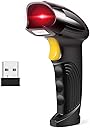
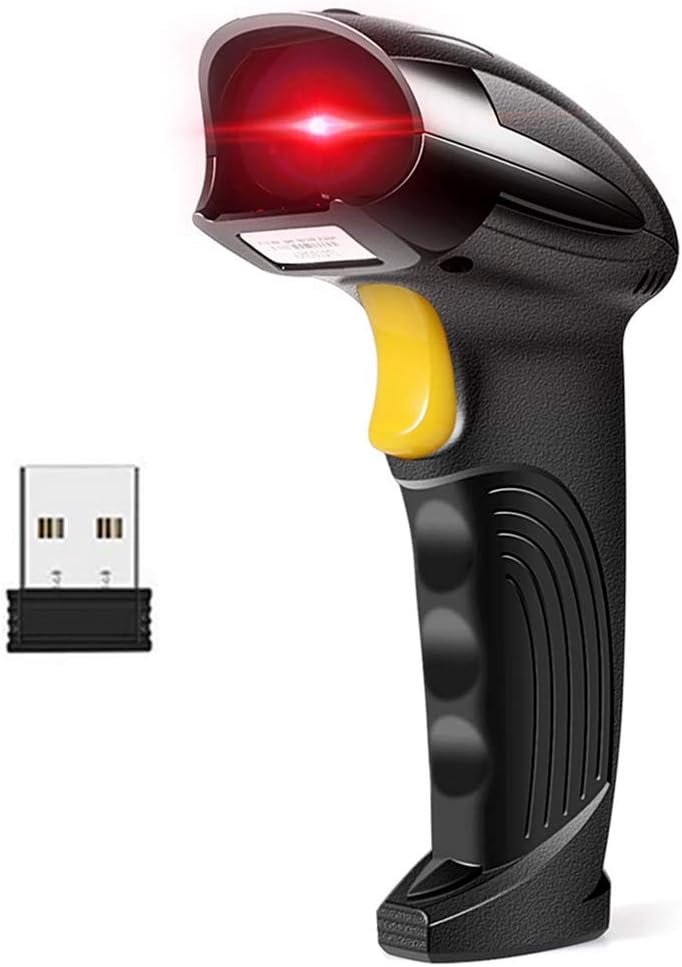
The Basecent Wireless Barcode Scanner offers ultra-fast 300 scans/sec laser reading with versatile wired and wireless modes. It boasts an impressive indoor wireless range of up to 100 meters and supports instant data upload or offline storage. Compatible with a broad spectrum of operating systems and devices, this plug-and-play scanner is ideal for libraries, warehouses, and retail environments seeking efficient, flexible inventory management.


| ASIN | B07SZPWT1N |
| Best Sellers Rank | #127,777 in Office Products ( See Top 100 in Office Products ) #291 in Bar Code Scanners |
| Brand | BASECENT |
| Compatible Devices | Desktop, Laptop |
| Connectivity Technology | USB Cable |
| Customer Reviews | 4.3 out of 5 stars 863 Reviews |
| Item Dimensions D x W x H | 2.64"W |
| Manufacturer | Basecent |
| Mfr Part Number | ghetrryxc-252 |
| Model Number | ghetrryxc-252 |
| Number of Batteries | 1 Lithium Polymer batteries required. (included) |
| Operating Voltage | 5 Volts |
| Power Source | Corded Electric,Usb Cable |
| Product Dimensions | 2.64"W |
| Real Angle of View | 75 Degrees |
| Unit Count | 1.0 Count |
L**E
Nice device but not convenient to use.
I have several collections I want to catalog and I bought this device to be able to read and record UPC codes. In that sense it works fine, once you figure out what to do. First, you need to keep the booklet of codes tha comes with the device. These codes tell the device what to do. The device is paired by Bluetooth to a computer. Figuring out WHAT to do is more obtuse than figuring out HOW to do it. The instructions are minimal and you may have to go to YouTube or elsewhere online to learn what to do. Pairing this to my desktop computer was easy. But I want to catalog my books and itโs easy to carry my iPad to my books, so I tried to pair this device to my iPad. So far that hasnโt been successful. I have tried to scan many books at one time and leave those catalog numbers stored in the device for later uploading to my desktop, but after a short while and before I get to my desktop for uploading, the device turns itself off and loses the data. Somewhere along the line, with time, patience, and research I will get this all to work the way I think it should. The potential is there. Amended 6-9-21 I emailed the companyโs support center regarding my issues with connecting to my iPad and in less than 24 hours they responded: this device does NOT have Bluetooth connectivity. If you plan to use it with an iPad/iPhone you have to purchase a lightening to USB adapter. I made that purchase and connected to my iPad using the adapter and the charging USB cable that came with the scanner. Lo and behold! It worked. So in order to use this with my iPad I will have to use it as a wired device, a minor inconvenience. I imagine that if you plan to use this with an android device without a USB port you will need to purchase an adapter. I was very pleased that the company responded so quickly to my email and that as a result I am able to use the scanner in a mobile environment.
J**M
It works right out of the box
Ordered this for Civil Air Patrol to use with local meeting attendance tracking. Wanted wireless because kids and adults entering the facility can be chaotic and I do not want a laptop or tablet going flying when a cord gets caught on someone. In the box: one scanner, one USB cable (charging and direct connection to PC without the wireless dongle), one USB wireless dongle (tiny), one instruction booklet/additional page with programing barcodes. Windows 10 PC identified the USB dongle out of the box as a "barcode scanner" and was up and running in 30 seconds (laptop has SSD). I spent more time playing with settings once it was functioning. Opened Notepad and zap... zap... Using the scanner - pull the trigger once to wake it up if needed, pull the trigger again to scan something. Pull the trigger again to scan again, and again and again. Factory fresh it would emulate a keyboard entering "abc123456 <enter>" if the barcode was "abc123456". It emulates a keyboard with someone typing the barcode in quickly and <enter> per my unit's configuration. Lighting to USB adapter on an iPad mini (AKA Apple's camera adapter) accepted the wireless dongle and scanning did the same as on Windows in the app I had open. Once the scanner is configured the way you want/need, plug it in and go on the systems you want to use it for. Depending on the settings, it will turn off after a few minutes or never, I changed mine to 2 minutes and that seems to match, no stopwatch used to verify. Like most current barcode units, you get to scan barcodes to adjust the settings - some units require "put in program mode" and "save changes/exit program mode" when you are done. This one does not need that begin/end behavior for most basic settings. For most people, you will not need to change much other than deciding if you want any ending keystroke (<enter> vs <tab> vs nothing), the beep sounds/volume, and how long until it turns off. I do not intend to use this to collect a bunch of scans and then bulk upload them to a PC later. I will only scan one at a time on demand. Other more advance settings exist (prefixing or suffixing your scans with characters including something like <F2> if a Point of Sales (PoS) application takes that as a "jump to input field" command before the scanned value is sent, changing the baud rate for transmission, other weird things the common small business may never need) but it works to just scan and stream the output as a keyboard typing. Range wise, I went about 30 feet away in another room and scanned a few things. I came back to the PC to see they all were keyed into the program, one per line due to the <enter> key being included. I have not seen anything ship with the old USB-B 2.0 connector in years but this has a solid connection, ideal for when using tethered to a PC or recharging. Much more durable to a micro-USB or USB-C would be, and easy enough to find a replacement cord in your box of old cables vs a proprietary RJ-45 to USB cable that brand-X uses vs brand-Y with a different pin-out. Concerns - loosing the USB wireless adapter between meetings and moving between various computers in use - I wish there was a way to store the adapter attached to the scanner securely when not in use.
M**E
cheap price and works good
I am very carful when it comes to lower priced item because from my experience do not perform good, but since this product offered free returns and a one year warranty I decided to give it a try. I own a retail shipping store so we scan bar codes all day long for shipping labels on boxes that customers bring in, sometimes the customer label is not clear or covered with clear tape so we are not always working with the ideal barcode and the scanner job is to be able to read the barcode and not struggle with hard to read barcodes. For the price of what I paid for this scanner I am very impressed compared to a $200 scanner it performs to about 98% like the more expensive scanner by reading the challenging bar codes for a quarter of the price which is good to me. The next test is to see how long it will last, if I can get a full year of usage out of this scanner then I got my moneys worth, will see how the manufacture will handle any issue that come up in the future and will post an update. So far their tech support was great, I emailed them with a questions and they replied within a day and resolved the issue. I am happy with this scanner so far.
A**F
Work fine
Very reasonable price productvery easy to use work wireless so sometime connectivity issues bettry life also good enough overall good for business in this price
D**R
Nice standard bar code reader
It works great so far and has good battery life. Reminder that this is just a standard bar code reader, it does not read QR codes. I would buy this scanner again.
J**S
Will not work well for ISBN barcodes with book websites
This scanner at first use appears to do it all. The small little user guide is not helpful as it doesn't clearly define how to configure the scanner. The manual spells the work example as "exsaple" through out the users guide. I bought the scanner to scan book ISBN barcodes into a library app and it doesn't work. Out of the box it sent a mix of symbols. After over an hour of trying to configure it to read the 13 digit ISBN code I was able to get the code to read correctly in MSExcel but it still would not work with the web library applications. I need to return this for a refund. Does it work yes, does it work for my purpose NO, are the instructions clear, easy to use, and easy to configure NO NO and NO. This scanner may work well for inventory but for ISBN it is useless.
H**E
Kids love it
I got this for my kids for Xmas to use with their play kitchen! It scans any barcode. They love it!
K**R
works fine, but not quite what I expected
not much help provided for install and set up, but got mine going kind of easily. gave it only 3 stars because the scanner works fine when you get used to it, but it wasn't as helpful as I had hoped that it would be. I have hundreds of books, DVDs, CDs, and such, and had hoped that I could use this to scan in the ISBN or whatever and keep track of what I was logging in so that I could sell or donate these items to de-clutter. however, it takes extra time and money to find data bases that link the bar codes to the appropriate info for books, CDs, etc. couldn't just scan in an ISBN and get title, author, or any other info. probably not enough effort on my part, but just wanted others to know that this alone doesn't help inventory collection.
Trustpilot
2 weeks ago
2 months ago