We remain fully operational. Our teams are working around the clock to ensure your deliveries continue safely.

DOWNLOAD THE APP


Copyright © 2025 Desertcart Holdings Limited
DOWNLOAD THE APP
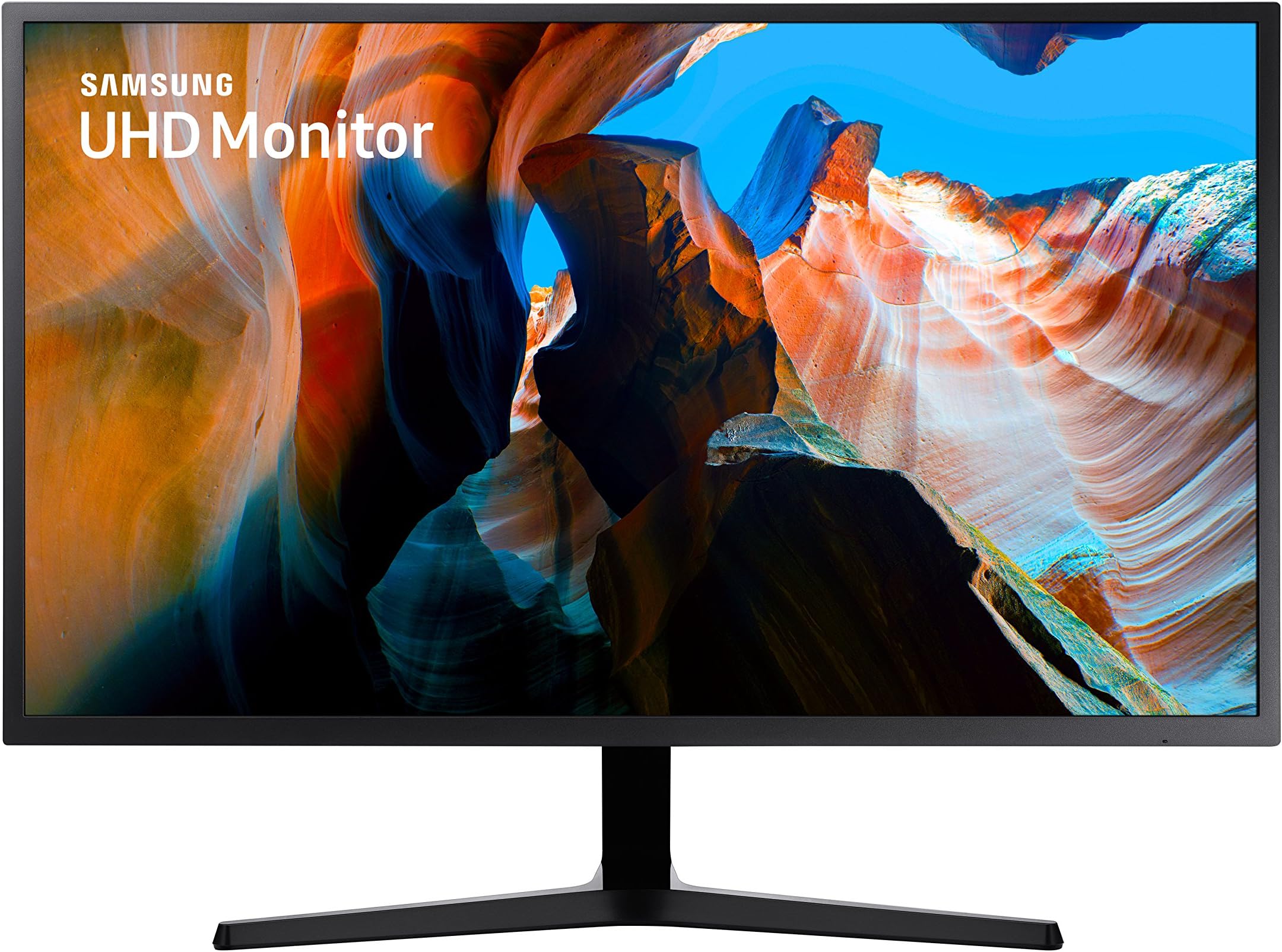

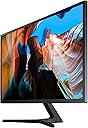
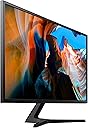






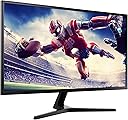
🚀 Elevate your workspace with Samsung’s 32-inch 4K powerhouse—where productivity meets stunning visuals!
The Samsung LU32J590UQWXXL is a 32-inch 4K UHD flat monitor featuring 1 billion colors, a 60Hz refresh rate, and a 4ms response time. It supports Picture-by-Picture and Picture-in-Picture modes for multitasking, AMD FreeSync for smooth visuals, and offers wide 178° viewing angles with flicker-free technology. Its slim bezels and eco-saving features make it a stylish and efficient choice for professionals seeking immersive clarity and seamless performance.


| ASIN | B07TS8LRQQ |
| Adaptive Sync | FreeSync |
| Best Sellers Rank | #47,974 in Computers & Accessories ( See Top 100 in Computers & Accessories ) #686 in Monitors (Computers & Accessories) |
| Box Contents | Monitor, HDMI Cable, Quick Setup Guide |
| Brand | Samsung |
| Brand Name | Samsung |
| Colour | Dark Blue Gray |
| Contrast Ratio | 3000:1 |
| Customer Reviews | 4.0 out of 5 stars 429 Reviews |
| Display Technology | LCD |
| Display Type | LED |
| Hardware Connectivity | HDMI |
| Has Color Screen | Yes |
| Image Brightness | 300 |
| Image Contrast Ratio | 3000:1 |
| Importer Contact Information | SAMSUNG INDIA ELECTRONICS PVT. LTD. 6th Floor, DLF Centre, Sansad Marg, New Delhi - 110001 |
| Item Dimensions D x W x H | 25D x 73W x 53.3H Centimeters |
| Item Type Name | Monitors |
| Item Weight | 6300 Grams |
| Manufacturer | 1ST, 2ND, 3RD FLOOR NO. 23 BUILDINGXIHU INFORMATION INDUSTRIAL PARK XIHU VILLAGE SHILONG TOWN DONGGUAN CITY GUANGDONG CHINA GUANGDONG,China518000 teahong@szctc. com.cn 5099896179, Samsung India Electronics Limited |
| Manufacturer Contact Information | 1ST, 2ND, 3RD FLOOR NO. 23 BUILDINGXIHU INFORMATION INDUSTRIAL PARK XIHU VILLAGE SHILONG TOWN DONGGUAN CITY GUANGDONG CHINA GUANGDONG,China518000 teahong@szctc. com.cn 5099896179 |
| Maximum Display Resolution | 3840 x 2160 |
| Model Name | LU32J590UQWXXL |
| Model Number | LU32J590UQWXXL |
| Native Resolution | 3840 x 2160 |
| Network Connectivity Technology | Wired |
| Packer Contact Information | DONGGUAN RISUN OPTOELECTRONICS TECHNOLOGY CO., LTD. |
| Picture Quality Enhancement Technology | UHD upscaling technology |
| Product Features | Tilt Adjustment, Ultrawide Screen, Wall Mountable |
| Refresh Rate | 60 |
| Resolution | 4K UHD 2160p |
| Response Time | 4 Milliseconds |
| Screen Finish Type | Flat |
| Screen Size | 31.5 Inches |
| Screen Surface Description | Flat |
| Specific Uses For Product | Gaming |
| Total HDMI Port | 2 |
| Total Video Out Ports | 2 |
| Unit Count | 2 Count |
| Viewing Angle | 178 Degrees |
| Warranty Description | 3 year product warranty from manufacturer |
J**L
Best moniter for editing gaming n theater time
4k quality awesome. Performance is awesome. Rugged, colour contrast awesome, refresh rate is also good, soon to start n syop. No sound only screen is there
D**A
Very good
Crystal clear picture. Great value for money. If you are planning to get one, few things to remember - 1. 32" is way too wide for office/coding work. For your day job, 24" is probably best. 28" max. Trust me on this. 2. This monitor is best suited for high quality video/gaming. It can display from two parallel sources simultaneously (PIP/PBP). If you have an Amazon FireStick or generic Android TV box, you can use it as a TV too. This monitor is HDMI (x 2) and Displayport (x 1) only. No VGA/DVI. It doesn't have any built-in speaker but it has an RCA jack port for audio output to an external speaker/headphone if you want that. 3. Your PC needs to be new/powerful enough to support 4K. Older PCs (5 years+) will struggle to support 4K. You may get max 1440p. Note - Even just for playing 4K videos, nevermind games, _both_ CPU and GPU need to be good enough . Tbh in my experience there is no perceptible difference between 2160p and 1440p at 32" screen size. Which brings up the next pt... 4. Although this set supports 4K (2160p), the 'proper/usable' resolution for 32" monitors is actually 1440p only. 4K is best suited for 43" monitors. You _can_ set the screen resolution to 2160p (4K) in this one, but that will result in much higher pixel density, making it unsuitable for regular use (icons will be too small). Also see pt. 1.
S**P
This is good, but not VESA supported
It does not have the sockets for extended monitor arm. Meaning you cannot directly used monitor arm stand if you want the flexibility to move your monitor across table with moving arm. You either have to drill or just let it stay on the table, which is not bad afterall. Not having the screw sockets is not a big deal or a con per say, but better to have. Otherwise fron other perspective, its great. Been using for 3 years now as extended display for my mac, and its perfect.
P**.
Don’t recommend to anyone
We expect peace of mind when we purchase a Samsung product but I believe they have not maintaining there after sales service very well now and dumping garbage in Indian market though monitor quality is awesome still there are some ips glow issue is there and is noticeable in dark environment also it is designed so well that it increases aesthetics of your setup. But I’m disappointed that Samsung doesn’t care about their customer after selling their products. I appreciate that amazon was accepting return and refunding the money for the defective product that I received. But I wanted to keep the product so I contacted Samsung and raised complaint with Samsung but the funny thing is their service engineers does not even care about issue they said to qualify for replacement policy the defect should be so big that it could be noticeable from distance. I’ve paid huge amount and I can’t accept that defect even if it’s not as per your policies, I have attached snapshot of defect, if it’s visible to me I consider it defect. We are not paying you to provide us defective product. The defect is in lcd panel as it comes off frequently and backlight get visible bothers most in dark environments
S**Y
Very good! (read for explanation about backlight bleed)
It's an excellent value for money! And the brightness is quite higher than 250 nits, it's more like 330 nits, which is what Tom's Hardware measured in their review on this monitor. I think it's around 250 nits if you look at it from a side, but when you position yourself in the center, where you should be, it's much brighter (a bit brighter than my other 300 nits monitor), and plenty bright for any use. I was initially very concerned about the backlight bleed, thinking I'll have to return the monitor for sure. So many reviews on Amazon India mention a strong backlight bleed. And I was puzzled at the same time because none of the Amazon US reviews mention any backlight bleed. When I turned on the monitor I could immediately see what the issue is. Because it's not an IPS display, but VA, it doesn't have such a good viewing angle. It's still quite OK, but it's definitely much better when you're looking at it from the center at 90 (+/-20) degrees. And when you are in a dark room and set the display to max brightness to show a black photo it'll look like it has a terrible light bleeding IF you look at it from a SIDE! But, if you are looking at it from the center, the way you normally should, then there's hardly ANY light bleed! In fact, I have another 4K 27 IPS inch monitor from a good brand as well, and it has more light bleed when in total darkness than this Samsung. One good thing about this monitor is its very high contrast ratio, much higher than any IPS display. It's fantastic for text! It makes it so much nicer to use for text based applications than even the best IPS display. As for the color accuracy, it's quite good out of the box. I tried to apply the color settings mentioned in few reviews that came out more than a year ago, but they were not good. Probably because Samsung adjusted the factory color settings in the meantime, and it's more realistic now than it was before. The color balance looks very good, it only has a slight yellowish tint, which gives the white more of an off white feeling, like a paper. But it's still VERY good, despite that. If you need perfect color balance then maybe you need to play with it a bit and make some adjustments, but for the text apps it's actually perfect! The text on white looks so much nicer and easier on the eyes than the bluish white on a more accurate monitor. It's closer to paper. I use my monitor for text and less for graphics, so it's perfect for me. The monitor settings are nice and easy to navigate around. Here are some adjustments you want to make in the monitor settings: For text applications leave the colors on factory settings (RGB at 50, 50, 50), and for a better color accuracy you can try to reduce the red to 48 or 49, and up the blue and/or green to 51. In any case set the Gamma to Mode2, Brightness at 100 (or less if you have sensitive eyes), Contrast at 75, Sharpness at 60, HDMI black level to Low, Response time to Fastest, Eye saver mode to Off. Once you try a curved display you simply can't go back to a flat one! It feels so immersive, enjoyment to use, and you can easily have windows open even on the sides of the screen, unlike on the larger flat monitors, where you feel like you need to move your head sideways to clearly see the windows that are not in the very center. Overall, this monitor is an excellent value for money. After trying and comparing it to few other 4K IPS displays I think now I prefer the VA display to the IPS, just because of the much higher contrast. It makes text much clearer and easier to read. If you like to move around sideways a LOT then probably it's better you get an IPS display. But for a normal use this works perfectly.
S**T
Great product under 30000 Rs. Not worth then that.
I purchased on Feb-13-2022. I am writing this review on June 18, 2022. Positive aspect: I bought it for Rs 36000, and I found after using it that the picture, brightness, and connectivity are good. It is fast in response time with the set up box with Jio and with my desktop computer and laptop as well. I can say that it was very responsive. Negative aspect: The price was too high; the product is not worth that. There is 1 HDMI and 1 DisplayPort, and in the box there was only 1 HDMI cable present, so if you have to switch between two devices you have to buy either 1 dual HDMI convertor or 1 display port in saprete. So I bought several display port cables to test the port, but none of them worked, and I realised the company should have included the single display port cable in the box for customer service. I discovered that the glue on the top side of the screen plate was eroding after 4 months of use. The picture quality and picture did not change, but the glue on the top side of the screen plat was lost, and screen plat is detached from packing from top of screen.
R**G
It's one of the best entry level 4k monitor
Pros - 4K LED Panel, has balance bleeding, Curved, Bezeless, upscaling technology which upscales anything below 4k resolution to a resolution close to 4k level standard, since it's a VA panel, it can enlight better black pictures than IPS and TN. Better cable management system. Cons - It has 300 nits brightness/ not an HDR monitor, doesn't support freesync, it's not an IPS, it's not a gaming monitor, it doesnt have higher refresh rate. No vesa mount support. In conclusion this monitor is for content creators or programmers who can compromise color gamut and spreadsheet such as excel. It can be used as an moderate 4k monitor for ideal gaming console.
A**I
Zero Backlight Bleed 4K 32inch Best value under INR. 25,000
Samsung Quality Control is best as compared to LG and ACER and hence Zero Backlight Bleeding. Amazing Blacks as expected from VA Panel. HDMI 2 and Display Port Connectors Support 4k@60 HDMI 1 supports 4K@30. Has Picture By Picture and Picture in Picture Modes. Best buy 32 inch 4K monitor. Vesa wall mount is possible I have wall mounted it see pics. Has 8-bit panel, No HDR but perfect for programming and streaming. If you wanna stream Netflix in 4K on windows PC - Use Microsoft Edge Browser.
Trustpilot
2 months ago
1 month ago