![LogitechHarmony Touch Universal Remote with Color Touchscreen - Black [Discontinued by Manufacturer]](https://m.media-amazon.com/images/I/71Lqqlr3d8L._AC_SL3840_.jpg)


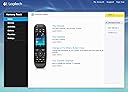
LogitechHarmony Touch Universal Remote with Color Touchscreen - Black [Discontinued by Manufacturer]
Product ID: 1271092
⚡Smart Control
📱Color Touchscreen
🔄Universal Compatibility
Desertcart purchases this item on your behalf and handles shipping, customs, and support to Brazil.
🎮 One Remote to Rule Them All!
The Logitech Harmony Touch Universal Remote features a vibrant color touchscreen and universal compatibility, allowing you to control multiple devices seamlessly. Although discontinued, its sleek design and customizable interface make it a coveted choice for tech-savvy households.
G**E
A remote control game changer
Up until Christmas 2013, I was living a lie. I thought I was efficient and on top of things. Then I got this Harmony remote one sleepy Christmas morn, and the curtains of obfuscation parted. I was seeing my life for what it was: fumbling, confused anarchy.Before then, each one of my TVs had "universal" remotes that came with the audio receivers I was using. Despite the time spent programming and tweaking, I still needed all of my remotes out "just in case." No more. Here is my Harmony Story.(Note: many of these features may not be new to Harmony remotes, but this is my first.)Opening the box: The remote comes packaged very comfortably in a box with a charging stand, power cable, USB cable, Instructional booklet and disc. Unpacking the remote is simple and you're ready to go right away. The remote is simple and clean, gloss plastic over the screen with dedicated buttons for transport controls, volume/channel, navigation hub, and guide/dvr/etc. The remote shape feels comfortable in the hand, and makes using the screen fatigue-free. The back of the remote has a gritty texture that keeps the remote from sliding on surfaces, and in addition to the emitter on the end of the remote, there is an emitter on the back (more on that later).Setup: Before you start on the remote, you need to get the brand &model numbers for all of the equipment it'll be controlling. You'll also need to get the inputs on your TV or receiver/prepro for each source. Then just connect the remote to your computer, setup your account at myharmony.com, and from there it's very simple. Enter your brand & model nos, choose your Activities to use ("watch tv", "watch a movie", etc), and answer the questions about volume and switching controls. You can also choose favorite channels from your specific provider's lineup. You may Once you're done, sync time is a few minutes, and you unplug and go.Use: Put your factory remotes away. Plug in the charging stand in a suitable location near your seat, sit down, and press the Activity button on the screen. Point it at your hardware and press an Activity button, and it only turns on the hardware you need for that Activity. All functions will go to the appropriate hardware depending on how you set it up (ie, sound controlled by TV or receiver, etc). The backlit buttons make it simple to use in the dark.Ergonomics: There's much to love here. When you choose an activity, the screen shows pages for as much info as you need. Since you can configure up to 50 favorite channels in your TV activity, you can have pages and pages of channel logos to just click to get to. Those channels (as well as icons for hardware remote buttons not represented by hard buttons on the Harmony) can be shuffled around on the remote so you have your favorites at the top of the list. The number pad is on the screen for anything not in your list. The buttons are intuitively placed, and the shape of the control hub and volume/channel buttons make them simply to identify by touch. The buttons are backlit, making it very simply to see what you're doing in the dark. With the emitter on the back, you can point the remote up to see the screen, and press a button without pointing it back at your hardware. Very cool. Turn everything off with a press of the off button.Hiccups: These are minor quibbles, but worth mentioning.-Sometimes if you forget to point the remote for long enough, and things don't get turned on. Since the remote "remembers" the state of your hardware (ie, once you start an activity your TV is "on", so it knows to send an "off" signal to the TV when you click the Off button), it would be nice to hit an "Oops" button with power on for the items you just activated.- When you change hardware (ie, a new TV), it would be nice to be able to simply edit the TV choice on myharmony.com, and have it update your activities accordingly. Instead, you have to delete the old, add the new, and then update your activities.- Sometimes a swipe and a press are confused by the remote, but no more than your smartphone does.- I have the Harmony Playstation adapter, however I've noticed that sometimes with a game loaded, it doesn't properly shut off the Playstation. Works very well otherwise.How much did this remote change my entertainment experience? In the last month I've bought 2 more for my other TVs, and don't regret it a bit. I'd say a C note and a half is a good target price to look for, and there are refurbs you can find here for less. I picked up one refurb and it's just as good as new. Highly recommended.Update 2/13/2014: I've since added custom controls for fans and lights, and they're working wonderfully. The customization features on myharmony.com really pay off when you take the time to check them out.
M**D
Don't listen to the naysayers!
This remote is great. Don't convince yourself otherwise by reading a few negative reviews from some old farts that are sad they're losing 96 hard buttons on a remote. They're just not needed!---------Myth #1: The DVR buttons are out of reach... You have to be joking? The whole remote is only about the length of an average man's hand. I can hold it comfortably and reach every button. Yes the DVR buttons may take a slight adjustment of the remote in your hand, so what? Are we really too lazy now to move a remote in our hand a little to reach a button?Myth #2: The DVR jump ahead feature isn't a button... Yes, That is true. When you first program all of your devices the remote is going to map the fast forward command to the fast forward button. Guess What? You can reprogram any button on the device. Just make the fast forward button execute the jump ahead command and leave the fast forward in the soft menus. Wow...what a concept. You could also make it one of the four generic color buttons at the bottom. Any button can be anything you want. And any soft menu option can be rearranged so the most frequently used go at the top.Myth #3: All of the buttons are gone...my TV world is ending! Yes, a lot of buttons have been moved into a soft menu...on an awesome touch screen that takes a page out of the iPhone book. The remote is plain sexy. It's sleek, the design is modern, and the thing just plain rocks. If you have progressed into the smart phone age (if you haven't, get with it) then you will welcome this remote and it's elegant, simple to use touch screen. The people writing bad reviews about it probably still have a flip phone in their pocket.Myth #4: Mac users beware... I can't speak for everyone, but I had the myHarmony browser software up and running in less than a minute. Install silverlight update, install myHarmony software package. Bam! Done. I'm programming my remote. Clearly people can't follow two simple directions. Disclaimer: I'm on OSX 10.8.2. If you're not, again, get with it and update people.Myth #5: I can't just feel my way around my remote, I have to look at it! Oh no? Seriously? We have to be so lazy we can't save our eyes from rotting away at our redbox rental for two seconds to find a menu command? Come on people! Just step into the 21st century. It isn't hard.Myth #6: Endless menus. Just not true. Every menu is within two, maybe three button pushes of each other. The back button works great. There is a dedicated home button to get you to the top level. Theres a button for your favorites. I just don't understand what more you could want. And every single menu can be customized to put most clicked options at the top. I really think people should read the manual before writing reviews about how you have to flip through endless menus on this thing.Myth #7: You have to swipe to access Activities Again with the laziness. It's a single swipe to move from TV to BluRay, or whatever. Come on...Myth #8: Ergonomics suck, Design is clunky, USB doesn't work, etc. Just don't listen to these stuck up complaints. These people clearly have nothing better to do. The remote fits your hand, it looks great, the screen is beautiful, and the usb port works. Do you really think Logitech would not check and make sure a usb port works before moving to production? Yes, some people get a bad unit. I'm sorry, s*** happens, you know? Everyone gets a short straw every now and again. Amazon returns/exchanges are top notch. Just suck it up and exchange it.------------Seriously, just buy this remote. You get what you pay for. It's a steep price but it is a game changer remote that finally doesn't feel like a poor, clunky 20th century touchscreen design(a la Harmony One). You'll relish this one if you are a smartphone user. Just make the plunge, You can always return it if it's not for you...but it will be.
D**W
Amazing remote!
I Had a harmony 880 for about 6-7 years that served me well. however it was getting old, the buttons were hard to press and sticking and the motion sensor no longer activated when it was picked up.received this new remote and wow...... everything is next level. the tactile feel and the weight in your hand feels expensive and sturdy. the cloud based site to program the remote was so simple it was amazing. i entered my equipment model numbers and told it what i wanted to do and it set everything up in 5 mins. anyone who has a hard time setting this up needs to return their tv and sit in the dark.A+ remote, there really is no other competition for logitech harmony.if you have multiple pieces of home theatre equipment and dont have this remote, you need to ask yourself why?
S**N
Size Problems
The design is such that the button panel dont fit my grip right.
E**U
Good, not great.
Set up is much simpler than previous generations remotes and works on MACs. However, if you are a non geek/non tech/someone who doesn't fiddle around with things, you may find your activities are not controlled properly until you edit the way the remote behaves with them. What I mean is be prepared to set up your remote, test it out, and fix a few functions.The device works well and the physical buttons for changing channel/volume/pause, etc are great, but you'll need two hands to control it correctly. Your thumb doesn't or fingers from the hand holding the device simply can't reach all the buttons. The unit feels pretty band when you're holding it.So it does its job well, but the feeling of the thing is mediocre. Plus, once in a while, you will end up using your other remote because that missing function you want isn't on the logitech...Buy it if you have a more then 3 remotes, want a simpler set up, and are somewhat technology user (to set up). The ones using the remote don't need to be "techy" though, and that's great.
S**R
Easy to program but navigating touch screen can be a challenge.
I've had a few Harmony remotes over the years and what the older ones all have in common is lots of buttons. This new remote does away with a lot of the buttons and parks them on a page in the touch screen. For the most part this is a good thing but part of the problem with the touch screen (it works very well) is finding the command you need once in three months.Programming is a snap if you have made the required lists of components and inputs. Any initial glitches were solved by the remote without having to reconnect it to the PC.I have had the remote freeze on a few occasions, putting it in the charging dock for a few minutes usually solves any issue. I did have to connect it to my PC once and it has worked fine ever since. Have had this unit for just over two months and would buy another if I needed it without hesitation.
S**K
Easy to set up but screen is very sensitive
I want to like this remote but it’s really difficult. The touch screen is very sensitive so if a kid or dog or adult touches it then who knows what is going to happen to the tv or other inputs. When I hit a favorite channel sometimes it gets it wrong, even though it’s programmed into the touch screen. The controls above the screen are poorly placed. When we push those buttons and we accidentally hit the touch screen then once again it takes you somewhere you weren’t intending to go.The charge doesn’t hold as well as other remotes we’ve had.Good things are the size of it - it’s nice and small and not too complicated. It was easy to set up and I like the gripping material underneath the remote.
Trustpilot
2 weeks ago
5 days ago