We remain fully operational. Our teams are working around the clock to ensure your deliveries continue safely.

DOWNLOAD THE APP


Copyright © 2025 Desertcart Holdings Limited
DOWNLOAD THE APP
Buy anything from 5,000+ international stores. One checkout price. No surprise fees. Join 2M+ shoppers on Desertcart.
Desertcart purchases this item on your behalf and handles shipping, customs, and support to Brazil.
🌡️ Stay ahead of comfort—because your home should work as smart as you do.
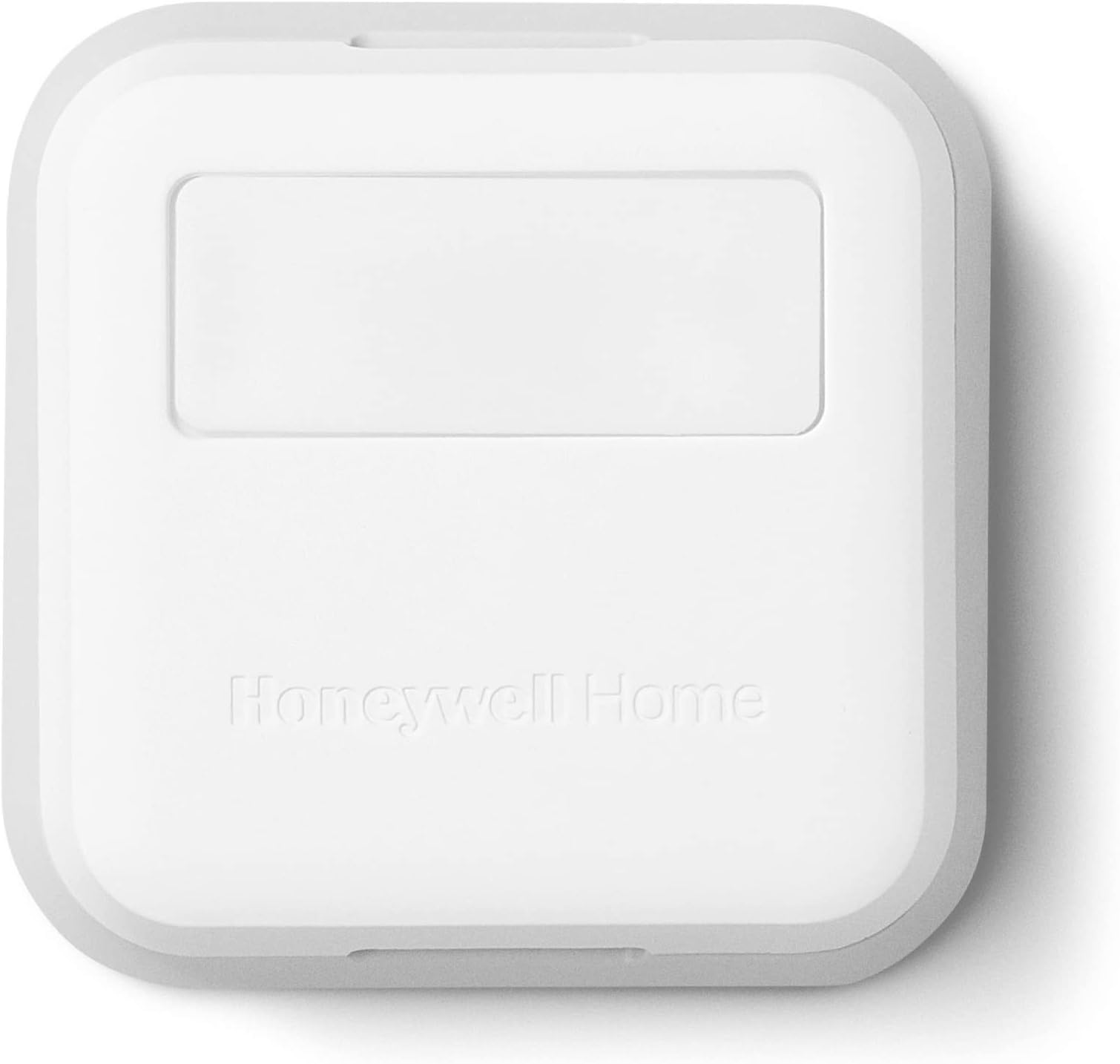
The Honeywell Home RCHTSENSOR-1PK is a compact, Wi-Fi-enabled smart room sensor designed to work with T9/T10 smart thermostats. Featuring motion detection and multi-room temperature sensing, it optimizes heating and cooling by focusing on occupied rooms. Easy to install and compatible with major smart home platforms, it empowers users to control home comfort remotely via the Resideo app.


| ASIN | B07N834FG9 |
| Additional Features | Motion Detector |
| Backlight | Yes |
| Best Sellers Rank | #18,390 in Tools & Home Improvement ( See Top 100 in Tools & Home Improvement ) #8 in Home Nonprogrammable Thermostats |
| Brand Name | Honeywell Home |
| Color | White |
| Connectivity Protocol | Wi-Fi |
| Connectivity Technology | Wi-Fi |
| Control Method | App |
| Control Type | Temperature Control |
| Controller Type | Alexa, Google Assistant, If This Then That, Cortana, Samsung SmartThings, Apple Home |
| Customer Reviews | 4.4 4.4 out of 5 stars (2,275) |
| Display Type | LCD or LED |
| Finish Types | Matte |
| Global Trade Identification Number | 00085267947077 |
| Included Components | Sensor |
| Item Dimensions D x W x H | 0.77"D x 2.6"W x 2.6"H |
| Item Type Name | Smart Room Sensor |
| Item Weight | 0.02 Pounds |
| Manufacturer | Honeywell Home |
| Manufacturer Warranty Description | 1 year warranty. |
| Material Type | Plastic |
| Model Name | RCHTSENSOR |
| Model Number | RCHTSENSOR-1PK/N |
| Mounting Type | Wall Mounted, Table Top |
| Number of Batteries | 2 AAA batteries required. (included) |
| Power Source | Air Powered |
| Product Style | Pack of 1 Smart Room Sensor |
| Shape | rectangular prism |
| Specific Uses For Product | Furnace |
| Temperature Control Type | Heating and Cooling |
| UPC | 085267947077 |
| Unit Count | 1.00 Count |
| Voltage | 24 Volts |
M**L
Perfect addition to our new furnace
After our furnace died during the coldest week yet this winter, we had to finally bite the bullet and replace it. The new one is crazy efficient and works so much better than the old one, but that in itself raised a new problem where some rooms are now sweltering while others are lagging slightly behind. Enter this cute like smart sensor. We placed one in the room furthest from the thermostat and within the first day, noticed a big difference and figured we'd add one more for the opposite end of the first floor. We then set the thermostat to average these readings. You can also have it adjust for only when rooms are occupied, or manually override very easily through the interface, but for us the average feature is working best. You can add up to 20 sensors, which I feel would be crazy overkill for our 1800'ish sq/ft first floor, so we'll see how this do over the rest of the winter. Overall very pleased with easy installation in the thermostat interface and if you can attach a command strip, then mounting them in the desired room is a breeze. I'll revisit the review if anything strange comes up.
J**L
Good complementary sensors
These addons are great complementary equipment when you have a multizone house that you are trying to heat or cool. I have the T9 thermostat and these connected beautifully. They function well in the Honeywell (Residio) app and they are small and easy to conceal on walls in the areas you are trying to get additional temperatures on. When you go to program the schedule, you can tie in these sensors depending on time of day and room averages you want to account for.
D**S
Thermostat outside of bedroom. Great Solution!
If you have a home with Honeywell T9 or T10 Thermostats, this is a great remote sensor for nearby rooms. In my case, I own a vacation home in Sun City. My home, a Voyage model has two bedrooms and three heating/cooling zones. The thermostat in question is in the common hall just outside the guest bedroom doors. When my family visits, they close the doors at night, making the thermostat unable to read the temperature in the two rooms. The sensors (I needed two) are very easy to set up and give them priority over the main thermostat. I just installed them this last week and they worked exactly as I hoped. After the family left, I returned priority to the main thermostat. Highly recommended!
U**A
BEWARE NOT COMPATIBLE with all T9 thermostats
Ordered two of these sensors and neither would pair with our T9 thermostat, nor will they "purge" per Honeywell instructions. The light turns green, thermostat starts paring, light turns red, thermostat throws up an error message. Rinse and repeat. To purge the sensor, you're supposed to hold the "Connect" button for 15-30 seconds until the light flashes amber. Nope, nothing happens. Looking around I find out that apparently, Honeywell changed series a few times, without changing the model number. There's a series number printed inside the battery compartment, it's a sideways 1, 2, or 3. If you have an older thermostat (series 1) it will not connect to series 2 or 3. Again, let me repeat - the model numbers never changed, the item description never changed, but they made newer units incompatible with older units even thought they are listed as compatible. Save yourself some aggravation and check the series on your existing unit, if it's 1 then most likely you won't be able to connect the new one.
R**L
Easy to use with great temp effectiveness
This is very helpful by monitoring the temperatures of each bedroom. I did have one that kept losing range but once I swapped it out, I haven’t had to change that battery for many months. I use these with my t9 to balance out the house. This is a great addition to dial in the temp you want. Very easy to install. You just put the battery in, check initial range, then move it to the location you want.
R**S
Surprisingly Effective – Helped Balance the Heat in My Home
I wasn’t expecting a dramatic difference, but this little sensor really helped balance the heating in my home. After replacing our heater, the installer set up a new thermostat and included one remote sensor—but it didn’t quite solve the uneven heating across rooms. I decided to add another sensor myself, and honestly, the improvement was noticeable. The extra sensor made a big difference in creating a more consistent temperature, especially between floors. Now, I’m even considering adding a third one to help regulate the heat in our finished basement. Setup was simple, and it paired easily with our Honeywell thermostat. If you’re dealing with hot and cold spots, this sensor is absolutely worth trying.
S**E
Works great easy to install compatible with Mitsubishi MHK2
I have two ducted Mitsubishi inverter heat pump systems using MHK2 sometimes also known as MRCH2 thermostats. The upstairs system had the thermostat located in a poor location especially in winter. It resulted in the two bedrooms upstairs being about five degrees colder than the set point. I didn't want to put the thermostat intself in a bedroom but I needed to have a temperature sensor in one of them to read the temperature there. I temporarily moved the MHK2 to one of the bedrooms (it is wireless so easy enough to do) and confirmed that reading the temp in one of the bedrooms would get me to where I wanted to be. A few Google searches found some reddit threads that confirmed this sensor would work with the MHK2 even though it isn't listed as compatible. I ordered one from Amazon and can confirm it worked great. Download the MHK2 instructions on pairing this and setting it up (it is wireless). You basically need to sync it with the Redlink controller on your unit (which thankfully does NOT unsync the MHK2). Once synced you need to got into the MHK2 setup menu and select using this sensor (you can either use this remote sensor only--what I am doing, or an average of this sensor and the MHK2 sensor).
A**.
Only work with series 3 or later T9
These do not work with series 1 or 2 earlier T9 models. I tried 2 new ones before I figured out they won't pair. You have to order earlier sensors directly from Honeywell. The series number is located at the end of the model number on the back of the thermostat. The old sensor # ends in 2002. I've ordered from this listing twice before in 2024 and they used to be the old sensor. You will get a red solid light and no pairing when it's the wrong one.
Q**N
AAA
R**O
Muy bueno pues detecta la presencia humana y la temperatura en el área y se complementa perfectamente con el termostato inteligente T8 .
H**K
Our thermostat unfortunately is placed where it gets morning Sun for part of the year, which has always made it think the home was warmer than reality on cold February mornings! So.. enter these remote sensors at C$24/ea. I placed one out of direct sunlight in the main living area, and used the T9 thermostat's touchscreen to set it up and to use it rather than the sensor built-into the thermostat itself. Problem solved, and the sensor is in a better area of the home as well. Got a second sensor for the master bedroom area, too. These are easy to install (special double sided foam mounting tape included in the package), and use a dedicated RF link to/from the thermostat rather than WiFi (the thermostat itself also does use WiFi). Recommended at C$24/each! I might get more of them..
F**Z
Great sensor. We have something like 8 of them in various rooms of the house and they play a key role in maintaining ideal temps in cooling and heating year-round. Highly recommended.
D**P
I am writing to express my dissatisfaction with the Honeywell Home RCHTSENSOR-1PK Smart Room Sensor. Unfortunately, the product has not met expectations and does not function as advertised. The sensor only detects motion and fails to recognize occupancy if someone is sitting at a desk working or lying still in the room, such as when sleeping. This limitation significantly reduces its usefulness, as it does not effectively account for actual room occupancy under normal living conditions. This crucial detail was not highlighted in the product description, leading to a misleading purchase decision. I believe this omission is unacceptable, as the product cannot deliver the intended value in real-world scenarios. I kindly request a refund for this product, as it does not perform as expected and fails to align with the advertised functionality. Please let me know the steps to initiate the return and refund process. Thank you for your understanding. I look forward to your prompt response.
Trustpilot
5 days ago
2 months ago